
Comparexpert
Comparison Between Company


InMotion vs Bluehost: Which Hosting Provider Is Better in 2026?
Choosing the right web hosting provider is one of the most important decisions when launching a website. Two popular hosting providers that often come up in comparisons are InMotion Hosting and Bluehost. Both companies offer reliable hosting services, WordPress optimization, and strong performance, but they differ in pricing, features, and overall user experience.
In this detailed comparison, we will analyze InMotion vs Bluehost based on performance, pricing, features, customer support, and overall value to help you decide which hosting provider is best for your website.
Table of Contents
General Info of InMotion Hosting and Bluehost
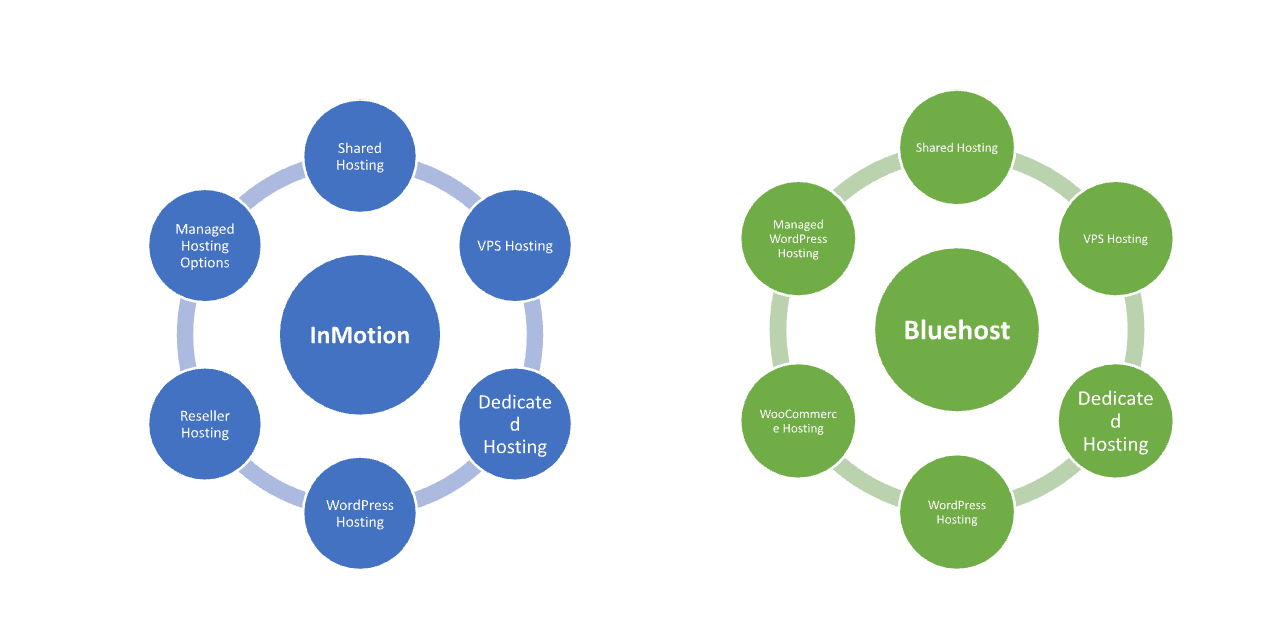
InMotion Hosting offers robust hosting solutions for small businesses, developers, and agencies, from shared to dedicated servers. Known for strong performance, SSD storage, and excellent customer support, they include features like free domains, unlimited email, and SSL certificates.
Bluehost is a leading hosting provider, especially popular with WordPress users, offering easy site integration and services like shared, VPS, and dedicated hosting. Known for competitive pricing, Bluehost includes a free domain, SSL certificate, and 24/7 support, appealing to beginners and smaller websites.
InMotion excels in performance and support, favored by advanced users, while Bluehost stands out for affordability and ease of use, particularly for WordPress sites.
Overview
| InMotion Hosting | Bluehost |
| Geared towards small businesses and developers | Popular among beginners and WordPress users |
| Strong performance with SSD storage | Good performance but less speed-focused |
| Focus on advanced features and customization | Prioritize usability and WordPress integration |
| Excellent customer support, U.S.-based | 24/7 support, but mixed reviews |
| High uptime reliability | Solid uptime with occasional fluctuations |
| Free domain, unlimited email, SSL | Free domain, limited email, SSL |
| Free website migration services | Free migration for WordPress sites only |
| 90-day money-back guarantee | 30-day money-back guarantee |
InMotion vs Bluehost: Feature Comparison
Both hosting providers offer a wide range of features, but they differ in some important areas.
| InMotion Hosting | Bluehost |
| Geared towards small businesses and developers | Popular among beginners and WordPress users |
| Strong performance with SSD storage | Good performance but less speed-focused |
| Focus on advanced features and customization | Prioritize usability and WordPress integration |
| Excellent customer support, U.S.-based | 24/7 support, but mixed reviews |
| High uptime reliability | Solid uptime with occasional fluctuations |
| Free domain, unlimited email, SSL | Free domain, limited email, SSL |
| Free website migration services | Free migration for WordPress sites only |
| 90-day money-back guarantee | 30-day money-back guarantee |
| Choose InMotion | Choose Bluehost |
Performance and Speed
SEO and user experience are greatly impacted by a website’s speed. Both InMotion and Bluehost provide solid performance, but there are some differences.
InMotion Performance
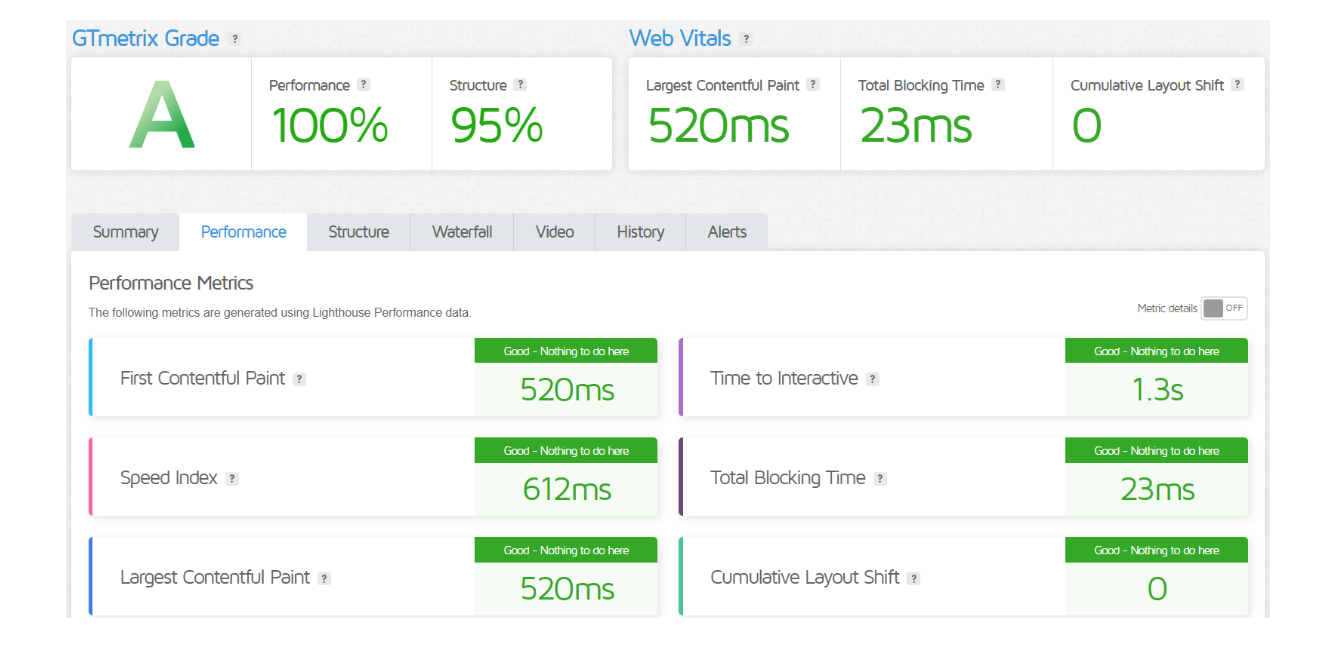
InMotion Hosting uses NVMe SSD storage, advanced caching, and optimized server configurations, which helps improve loading speed and website performance. Many users report faster speeds for business websites and high-traffic projects.
Bluehost Performance
Bluehost also offers good performance with SSD storage and CDN integration, but its shared hosting plans may sometimes experience slower speeds during peak traffic compared to premium hosting providers.
Overall, InMotion Hosting tends to perform slightly better for high-performance websites, while Bluehost offers reliable speed for small and medium websites.
Hosting Management:
| Hosting Management | InMotion Hosting | Bluehost |
|---|---|---|
| Control Panel | cPanel | cPanel |
| User Interface | Intuitive and customizable | User-friendly with WordPress integration |
| Website Builder | Drag-and-drop site builder available | Free site builder included |
| One-Click Installers | Softaculous for easy app installations | One-click WordPress installer |
| Backup Options | Free automatic backups | Optional backups, additional cost for certain plans |
| Performance Monitoring | Advanced monitoring tools | Basic monitoring tools |
| Resource Management | Detailed resource allocation management | Resource allocation through dashboard |
| Scalability | Easy upgrade options across plans | Scalable options available |
| Domain Management | Domain management tools included | Integrated domain management tools |
| Get Started | Choose InMotion | Choose Bluehost |
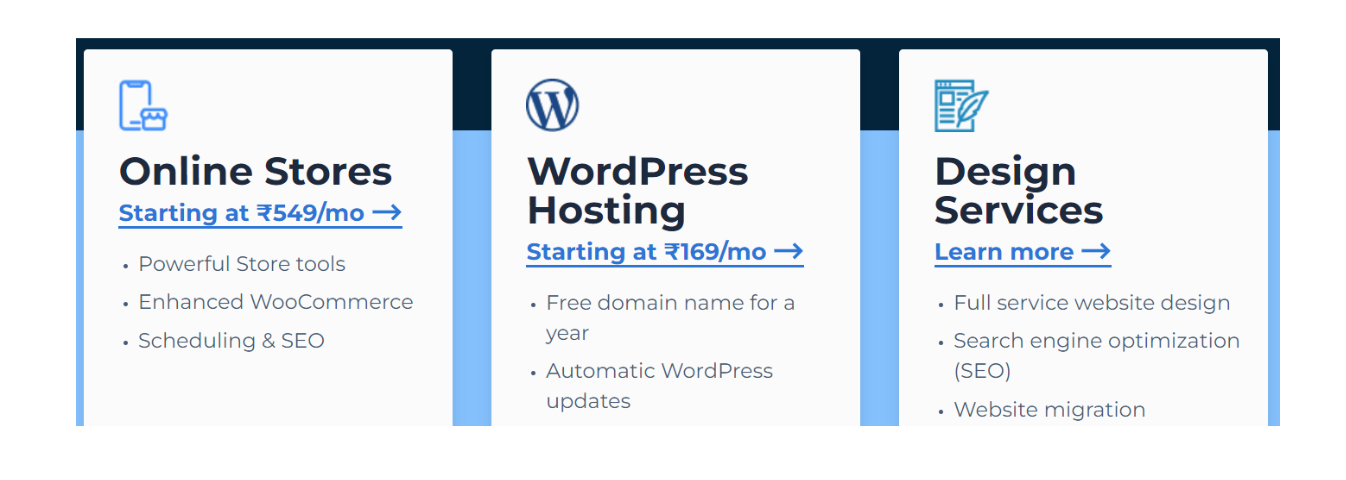
Bluehost
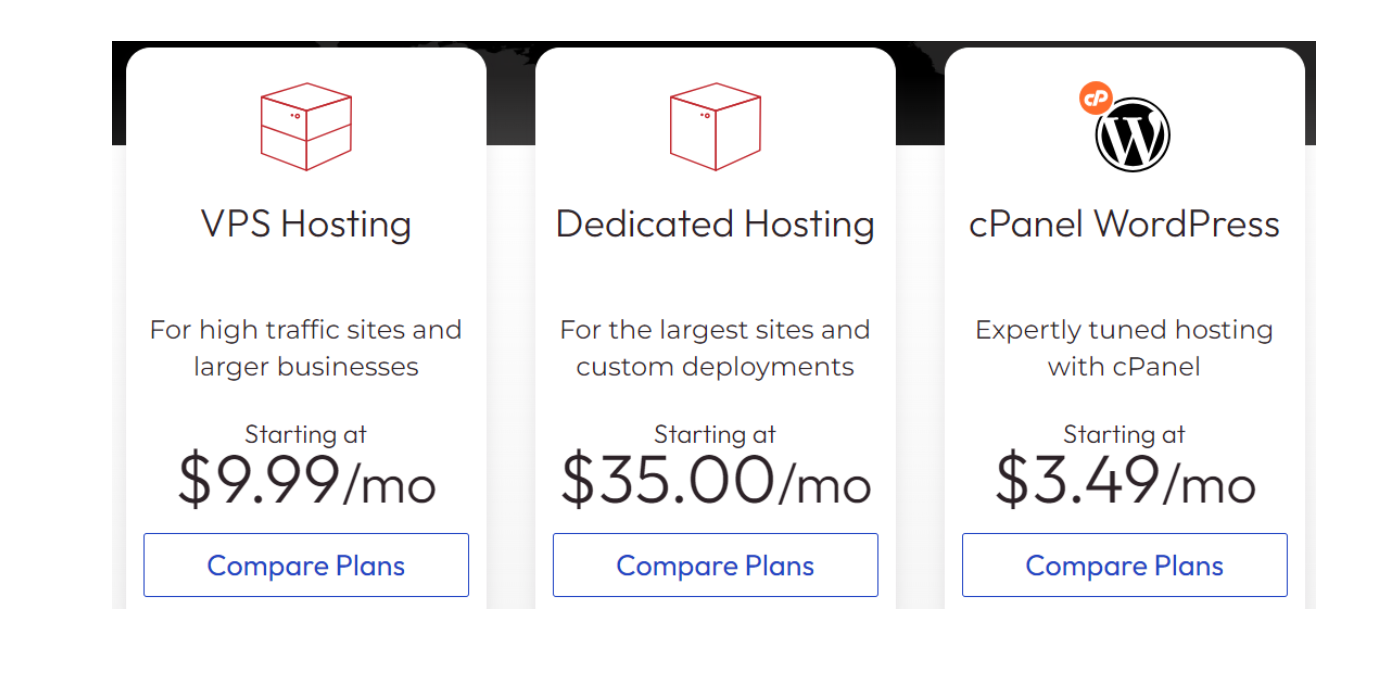
InMotion
Pricing Comparison
Pricing is often a major factor when choosing a hosting provider.
InMotion Hosting Pricing
InMotion’s shared hosting plans typically start slightly higher than Bluehost, but they include several premium features such as free migration and better performance infrastructure.
Cloudways Cons
Bluehost is known for its budget-friendly pricing, especially for beginners. Its introductory plans are usually cheaper than InMotion, making it an attractive option for new website owners.
However, renewal prices for Bluehost can be significantly higher than the initial promotional price.
| Pricing Comparison | InMotion Hosting | Bluehost |
|---|---|---|
| Starting Price | $2.99/month ★★★★☆ | $2.95/month ★★★★☆ |
| Renewal Price | $8.99/month ★★★☆☆ | $8.99/month ★★★☆☆ |
| Shared Hosting Plans | 3 options | 3 options |
| VPS Hosting Starting Price | $17.99/month ★★★☆☆ | $19.99/month ★★★★☆ |
| Dedicated Hosting Starting Price | $89.99/month ★★★☆☆ | $79.99/month ★★★☆☆ |
| Money-Back Guarantee | 90-day guarantee | 30-day guarantee |
| Additional Features | Free website migration, unlimited email | Free site builder, marketing credits |
| Get Started | Choose InMotion | Choose Bluehost |
Uptime:
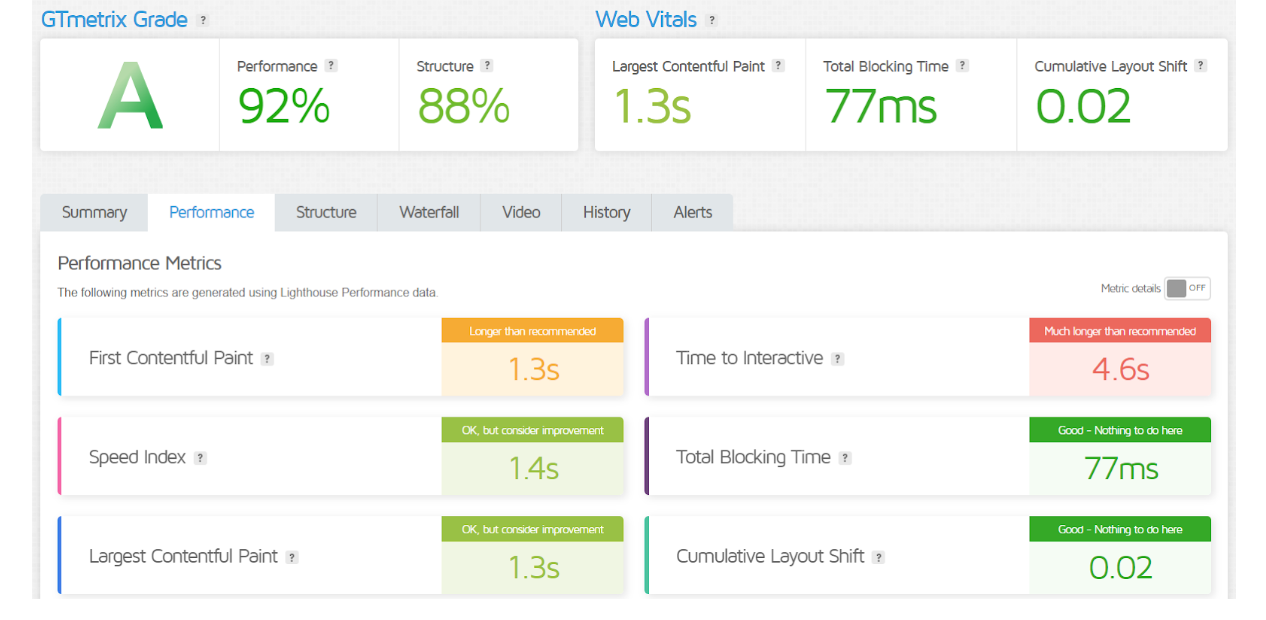
Both InMotion Hosting and Bluehost offer reliable uptime, generally exceeding 99.9%. However, InMotion is often praised for slightly better uptime consistency and performance, making it a strong choice for businesses that prioritize website availability. Bluehost also delivers solid uptime but may experience occasional minor fluctuations, more suitable for smaller sites with less demanding uptime needs.
GTMetrix:
InMotion
Bluehost
Ease of Use:
InMotion Hosting:
- Control Panel: Utilizes cPanel, which is intuitive but may require a slight learning curve for beginners.
- Website Builder: Offers a drag-and-drop site builder that is straightforward but less prominent than competitors.
- Setup Process: Generally easy, but advanced features may need some technical knowledge.
- Support Resources: Provides extensive tutorials and resources, aiding users in navigating the platform.
Bluehost:
- Control Panel: Also uses cPanel, but with a more user-friendly layout, especially for beginners.
- Website Builder: Includes a free site builder that simplifies the web creation process.
- Setup Process: Quick and simple, with one-click installs for WordPress.
- Support Resources: Strong knowledge base and beginner guides, enhancing user experience.
InMotion vs Bluehost:
What Our Customers Have to Say
InMotion Hosting:
- Positive Feedback: Users praise InMotion for its excellent customer support, particularly for technical issues. Many highlight the fast loading times and reliable uptime as major benefits.
- Negative Feedback: Some customers report challenges with the initial setup process and occasional pricing changes during renewal.
Bluehost:
- Positive Feedback: Customers appreciate Bluehost’s ease of use, especially for WordPress users. The user-friendly interface and one-click installations receive high marks.
- Negative Feedback: Some users mention inconsistent customer support experiences and slower response times during peak hours. Additionally, a few have encountered issues with uptime during high traffic.
Advantage and Disadvantage:
Advantages:
| InMotion Hosting | Bluehost |
| Excellent customer support | User-friendly interface |
| High performance with SSD storage | Officially recommended by WordPress |
| 90-day money-back guarantee | Competitive pricing |
| Free website migration | One-click WordPress installation |
| Advanced features for experienced users | Comprehensive knowledge base |
| Strong uptime reliability | Easy setup for beginners |
| Offers a variety of hosting options | Free site builder included |
| Good scalability options | Strong integration with WordPress tools |
Disadvantages:
| InMotion Hosting | Bluehost |
| Higher renewal prices compared to initial rates | Some users report inconsistent customer support |
| Initial setup can be complex for beginners | Occasional downtime reported during high traffic |
| Limited options for cheaper plans | Upselling of additional services can be frequent |
| Less focus on basic site-building tools | Some users find the dashboard slightly cluttered |
| No free site migration for non-WordPress sites | Higher costs for advanced features and resources |
Security:
| Security Features | InMotion Hosting | Bluehost |
|---|---|---|
| Free SSL Certificates | Yes ★★★★★ | Yes ★★★★★ |
| DDoS Protection | Yes ★★★★☆ | Yes ★★★★☆ |
| Regular Backups | Free automatic backups ★★★★☆ | Optional backups ★★★☆☆ |
| Malware Protection | Yes ★★★★☆ | Basic protection ★★★☆☆ |
| Firewall Protection | Yes ★★★★☆ | Yes ★★★★☆ |
| Account Isolation | Yes ★★★★☆ | Limited ★★★☆☆ |
| Two-Factor Authentication (2FA) | Yes ★★★★☆ | Yes ★★★★☆ |
| Get Started | Choose InMotion | Choose Bluehost |
Customer Support:
InMotion:
- Availability: 24/7 support via phone, live chat, and email.
- Response Time: Generally quick, with knowledgeable and friendly staff.
- Support Channels: Offers extensive tutorials, guides, and a knowledge base for self-help.
- U.S.-Based Support: Most support representatives are based in the U.S., ensuring clear communication.
- Technical Expertise: Highly rated for resolving technical issues efficiently.
Bluehost:
- Availability: 24/7 support through chat, phone, and email.
- Response Time: Response times can vary; some users report delays during peak hours.
- Support Channels: A robust knowledge base and a variety of guides are available for users.
- Mixed Reviews: Customer feedback on support quality is mixed; some experience excellent service, while others report inconsistencies.
- Focus on Beginners: Tailored support for WordPress users, making it easier for newcomers to get help.
Final Recommendations
| Final Recommendations | InMotion Hosting | Bluehost |
|---|---|---|
| Best For | Businesses needing high performance and support | Beginners and WordPress users |
| Recommended Use Cases | E-commerce, resource-intensive websites | Personal blogs, small business sites |
| Strengths | Excellent uptime, customer support, performance | User-friendly interface, easy WordPress setup |
| Considerations | Higher renewal rates, potential complexity for beginners | Inconsistent support experiences, upselling of services |
| Overall Rating | ★★★★☆ | ★★★★☆ |
| Money-Back Guarantee | 90 days | 30 days |
| Final Note | Ideal for users needing advanced features and reliability | Great for newcomers looking for an all-in-one solution |
| Get Started | Choose InMotion | Choose Bluehost |
Frequently Asked Questions
InMotion focuses on performance and customer support, making it suitable for businesses, while Bluehost is known for its user-friendly interface, especially for WordPress users.
Both providers claim over 99.9% uptime, but InMotion is often praised for slightly better consistency in uptime performance.
InMotion has a reputation for responsive and knowledgeable support, primarily U.S.-based. Bluehost offers 24/7 support but has mixed reviews regarding response times and expertise.
Yes, InMotion offers a 90-day money-back guarantee, while Bluehost provides a 30-day guarantee.
Bluehost is officially recommended by WordPress and is designed with WordPress users in mind, offering seamless integration. InMotion also supports WordPress but may appeal more to users seeking advanced features.
Both InMotion and Bluehost provide free SSL certificates, DDoS protection, and daily backups. InMotion includes additional malware detection and a comprehensive security suite.
Initial prices for both are competitive, but InMotion’s renewal rates can be higher. Bluehost’s pricing is generally more stable but may involve upselling for additional features.
Table of Contents
Explore More