

Comparexpert
Comparison Between Company


SiteGround vs GoDaddy: Which Hosting Provider Is Better in 2026?
Choosing the right web hosting provider is one of the most important decisions for any website owner. Two of the most well-known hosting providers are SiteGround and GoDaddy.
Both companies offer shared hosting, WordPress hosting, and powerful website management tools. However, their performance, pricing, features, and support differ significantly.
In this detailed comparison, we will examine SiteGround vs GoDaddy in terms of performance, pricing, security, features, ease of use, and customer support to help you decide which hosting provider is best for your needs.
Table of Contents
General Info of SiteGround vs GoDaddy
SiteGround offers high-performance hosting with a focus on speed, security, and excellent customer support. It provides shared, cloud, and dedicated hosting, with features like SSD storage and Google Cloud integration. SiteGround is especially known for its fast, responsive 24/7 customer service, making it a top choice for users who prioritize quality support.
GoDaddy is a major domain registrar that also provides hosting and website building services. Its offerings range from shared to dedicated hosting, with an easy-to-use platform suited for beginners and small businesses. While affordable, GoDaddy’s customer support is often slower, and the company is known for upselling during the purchase process.
In comparison, SiteGround excels in performance, security, and support, making it ideal for WordPress users or those seeking higher performance, despite a higher cost. GoDaddy appeals to those looking for a more affordable, all-in-one solution, with simpler website needs or bundled domain and hosting services.
Overview
SiteGround is a premium web hosting provider known for its fast servers, strong security, and excellent customer support. It is officially recommended by WordPress, which makes it a popular choice for WordPress users.
GoDaddy is one of the largest domain registrars and hosting companies in the world. It is especially popular for domain registration and beginner-friendly hosting services.
| Category | SiteGround | GoDaddy |
|---|---|---|
| Performance | High speed with SSD, caching, Google Cloud | Decent, slower on lower-tier plans |
| Uptime | 99.99% uptime, highly reliable | Good uptime, occasional dips on lower plans |
| Customer Support | 24/7 premium support, fast and knowledgeable | 24/7 support, but slower response times |
| Ease of Use | User-friendly, intuitive interface | Easy-to-use, designed for beginners |
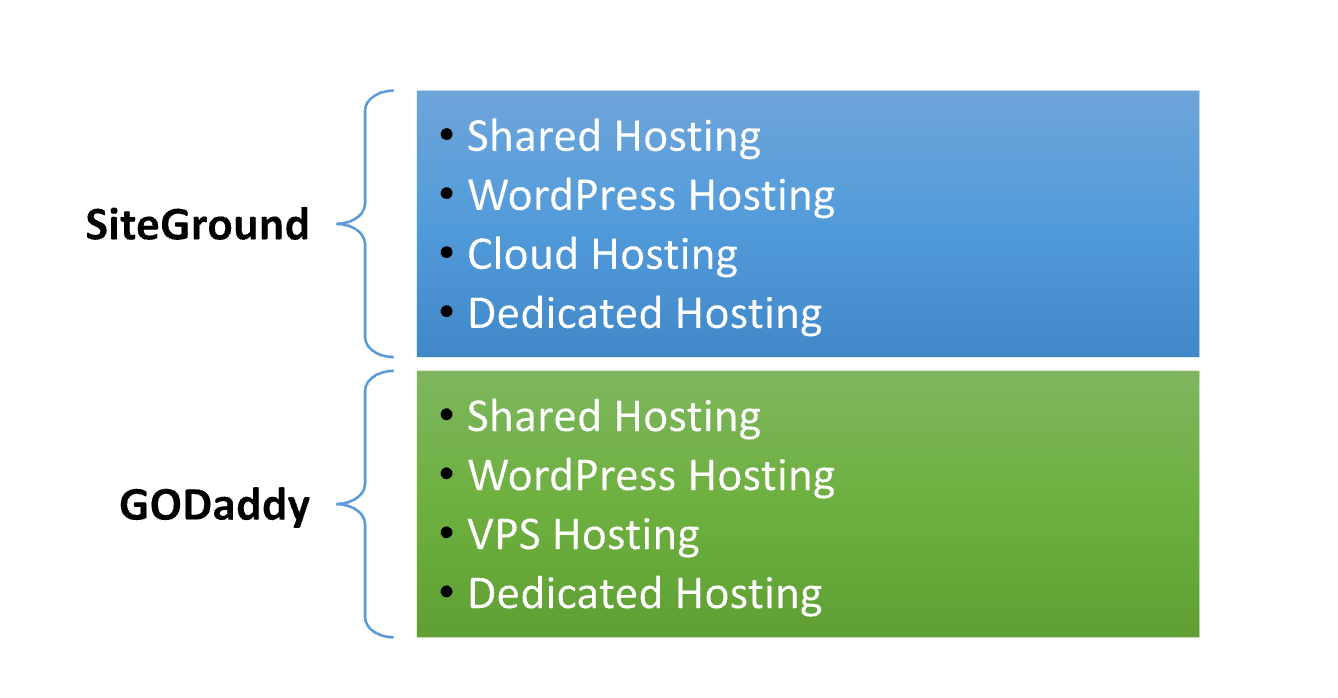
| Hosting Types | Shared, cloud, dedicated | Shared, VPS, dedicated, WordPress |
| Free Features | SSL, CDN, daily backups, email | Free SSL on higher plans, paid email |
| Pricing | Slightly more expensive but feature-rich | Cheaper initial plans, upselling prevalent |
| Target Audience | Performance-focused users, WordPress sites | Beginners, small businesses, domain buyers |
| Get Started | Choose SiteGround | Choose GoDaddy |
Performance Comparison
Performance is one of the most critical factors when choosing a hosting provider.
SiteGround Performance
SiteGround uses Google Cloud infrastructure, which ensures faster loading speeds and high reliability. It also includes built-in caching and advanced optimization tools.
GoDaddy Performance
GoDaddy offers decent performance for small websites, but it lacks advanced caching features and infrastructure compared to SiteGround.
Winner: SiteGround
Features:
| SiteGround | GoDaddy |
| SSD storage for faster load times | Standard HDD storage on some plans |
| Google Cloud infrastructure | Traditional server infrastructure |
| Free daily backups | Paid backups in some plans |
| SuperCacher and custom caching technology | Basic caching with some plans |
| Free SSL certificates | Free SSL on higher-tier plans only |
| Integrated CDN support | CDN available, but not included in all plans |
| Free email accounts with hosting plans | Email hosting is separate and paid |
| Staging tool for website testing | Staging available only on higher-tier plans |
| 24/7 premium customer support | 24/7 customer support, slower responses |
| Multiple data center locations | Limited data center locations |
Ease of Use:
SiteGround is often regarded as easier to use, particularly for beginners and those who prioritize user experience. Its custom dashboard is intuitive, allowing users to manage their hosting services without feeling overwhelmed. The platform also includes straightforward features like one-click installations for popular applications, making it simple to set up websites. Additionally, SiteGround provides helpful tutorials and a comprehensive knowledge base to guide users through various tasks.
GoDaddy, while user-friendly, can be a bit more complex due to its broader range of services and features. Although it uses cPanel for hosting management, which is familiar to many users, some find the interface cluttered, especially with upsell prompts during the purchasing process. While it offers easy domain management and hosting setup, beginners might feel less supported without the same level of proactive customer assistance that SiteGround provides. Overall, for sheer ease of use and support, SiteGround tends to have the edge over GoDaddy.
Pricing Comparison:
| Plan Type | SiteGround | GoDaddy |
|---|---|---|
| Shared Hosting | Starts at $2.99/month ★★★☆☆ | Starts at $3.99/month ★★☆☆☆ |
| WordPress Hosting | Starts at $2.99/month ★★★★☆ | Starts at $4.99/month ★★★☆☆ |
| VPS Hosting | Not available | Starts at $4.99/month ★★★☆☆ |
| Dedicated Hosting | Starts at $100/month ★★★★☆ | Starts at $129.99/month ★★★☆☆ |
| Cloud Hosting | Starts at $100/month ★★★★☆ | Starts at $4.99/month (VPS alternative) ★★☆☆☆ |
| Domain Registration | $17.99/year ★★☆☆☆ | $9.99/year ★★★★☆ |
| Get Started | Choose SiteGround | Choose GoDaddy |
SiteGround

GoDaddy

Hosting Management:
| Aspect | SiteGround | GoDaddy |
|---|---|---|
| Control Panel | Custom user-friendly dashboard | cPanel for hosting plans |
| Website Migration | Free website migration service | Paid migration service |
| Automatic Backups | Daily backups included | Backups available for purchase |
| Staging Environment | Free staging tool for testing | Available on higher-tier plans |
| One-Click Installers | Includes one-click installs for apps | One-click installs available |
| Resource Scalability | Easy upgrade options across plans | Upgrade options available, but less flexible |
| Performance Optimization | Built-in caching and performance tools | Basic optimization features |
| Security Features | Free SSL, daily malware scans, security patches | Free SSL on higher plans, basic security |
| Customer Support Access | 24/7 support via chat, phone, and tickets | 24/7 support via chat and phone |
| Knowledge Base | Comprehensive tutorials and guides | Extensive help center and tutorials |
| Get Started | Choose SiteGround | Choose GoDaddy |
Hosting Provided
Uptime:
When it comes to uptime, SiteGround is highly reliable, consistently delivering uptime rates of 99.99% or higher, making it a trusted choice for those who need minimal downtime. This is supported by its advanced infrastructure, including Google Cloud servers and proactive monitoring. GoDaddy, while also offering solid uptime guarantees, tends to have slightly less consistency, with occasional dips in performance, especially on lower-tier plans. While GoDaddy’s uptime is generally good, SiteGround’s stronger infrastructure offers more dependable uptime for mission-critical websites.
What Our Customers Have to Say?
SiteGround:
Positive Feedback: Customers frequently praise SiteGround for its exceptional customer support, highlighting the responsiveness and knowledge of the support team. Users appreciate the performance and reliability of their hosting services, noting fast load times and minimal downtime. The user-friendly interface and comprehensive tutorials also receive high marks for making website management easier.
Negative Feedback: Some users mention that SiteGround’s pricing can be on the higher side, particularly when renewing after the initial promotional period. A few customers have reported limitations on resources in lower-tier plans, which may require upgrading for more demanding websites.
GoDaddy:
Positive Feedback: GoDaddy is often recognized for its all-in-one service, with many customers appreciating the convenience of managing both domains and hosting in one place. Users also find the initial pricing attractive and enjoy the ease of setting up websites with their user-friendly interface.
Negative Feedback: Many customers express frustration with the customer support experience, citing slow response times and inconsistent assistance. Some users also criticize GoDaddy’s upselling tactics during the purchasing process, feeling that it detracts from the overall experience. Additionally, performance issues have been noted on lower-tier hosting plans.
Advantage and Disadvantage:
Advantage
| SiteGround | GoDaddy |
| Excellent customer support available 24/7 | Comprehensive range of services, including domain registration |
| High performance with SSD storage and caching | Competitive pricing on initial plans |
| Reliable uptime with consistent performance | User-friendly interface for beginners |
| Free daily backups and enhanced security features | Easy domain management |
| Intuitive custom dashboard | Extensive marketing tools and features |
| Free website migration service | Availability of VPS hosting options |
| Built-in staging environment for testing | Good for all-in-one solutions |
Disadvantage:
| SiteGround | GoDaddy |
| Higher renewal prices after initial term | Aggressive upselling during the purchase flow |
| Limited storage on lower-tier plans | Slower performance on lower-tier hosting plans |
| No VPS hosting option | Less reliable customer support response times |
| Slightly more technical for complete beginners | Less advanced performance optimization features |
| Higher cost for advanced plans | Paid website migration and backups |
GTMetrix:
- Performance
- SiteGround: Better overall performance; faster loading times due to SSD storage and caching.
- GoDaddy: Generally slower, especially under heavy traffic.
- Speed
- SiteGround: Initial load times often under 1 second.
- GoDaddy: Varies widely; typically, over 2 seconds.
- Page Load Time
- SiteGround: Consistent average under 2 seconds.
- GoDaddy: Fluctuates, often around 3 seconds.
- Recommendations
- SiteGround: Best for speed and reliability.
- GoDaddy: Good for budget options, but lower performance.
Security:
| Security Feature | SiteGround | GoDaddy |
|---|---|---|
| SSL Certificates | Free SSL included with all plans | Free SSL on higher-tier plans only |
| Daily Backups | Daily automatic backups included | Backups available for purchase |
| Malware Scanning | Daily malware scans and proactive security checks | Basic malware scanning on higher plans |
| Firewalls | Advanced firewall protection | Basic firewall protection |
| Account Isolation | Strong account isolation to prevent breaches | Less emphasis on account isolation |
| Two-Factor Authentication (2FA) | Available for added account security | Available, but may require additional setup |
| Security Patches | Regular security updates and patches | Security patches applied, but less frequent |
| DDoS Protection | Included as part of the infrastructure | Basic DDoS protection available |
| Security Policies | Clear policies and procedures for data protection | Security policies available, but less detailed |
| Get Secure Hosting | Choose SiteGround | Choose GoDaddy |
Customer support
SiteGround
- Availability: SiteGround offers 24/7 customer support through live chat, phone, and support tickets.
- Response Time: Customers report quick response times, often resolving issues within minutes.
- Knowledge Base: A comprehensive knowledge base is available, with detailed tutorials and guides to assist users.
- Support Quality: Support staff is highly knowledgeable and proactive, often providing detailed solutions tailored to customer needs.
- Specialization: The support team has expertise in WordPress and other popular platforms, making them particularly helpful for related issues.
GoDaddy
- Availability: GoDaddy also provides 24/7 support via phone and live chat.
- Response Time: Response times can vary; some users experience delays, especially during peak hours.
- Knowledge Base: GoDaddy has a large help center with tutorials, but it may not be as user-friendly as SiteGround’s resources.
- Support Quality: While knowledgeable, customer support experiences can be inconsistent, with some users reporting less effective assistance.
- Specialization: Support covers a wide range of services, but depth of expertise may not be as strong as SiteGround for specific issues.
Final Recommendations
| Criteria | SiteGround | GoDaddy |
|---|---|---|
| Best For | Users prioritizing performance and support | Beginners looking for an all-in-one solution |
| Budget Considerations | Higher initial and renewal costs | More affordable entry-level plans |
| Performance Needs | Excellent speed and uptime | Sufficient for basic websites |
| Customer Support | Highly responsive and knowledgeable | Inconsistent response times |
| Ease of Use | User-friendly dashboard | Simple interface but may feel cluttered |
| Security Features | Comprehensive security measures | Basic security features available |
| Scalability | Easy to upgrade plans | Scalable, but less flexible |
| Recommended For | WordPress users and businesses requiring high reliability | Small businesses and personal projects |
| Final Recommendation | Choose SiteGround | Choose GoDaddy |
Frequently Asked Questions
SiteGround: Offers shared, cloud, WordPress, and dedicated hosting.
GoDaddy: Provides shared, VPS, WordPress, and dedicated hosting.
SiteGround: Generally, offers better performance with faster load times and superior uptime.
GoDaddy: Adequate performance, but may be slower on lower-tier plans.
SiteGround: 24/7 support via live chat, phone, and tickets, known for quick responses.
GoDaddy: 24/7 support via phone and live chat, but response times can be slower.
SiteGround: Yes, free SSL certificates are included with all plans.
GoDaddy: Free SSL is included only on higher-tier plans.
SiteGround: Yes, daily automatic backups are included.
GoDaddy: Backups are available but often require a paid option.
SiteGround: Offers an intuitive custom dashboard that is easy for beginners.
GoDaddy: User-friendly but can feel cluttered, especially with upselling.
SiteGround: Does not have its own website builder but supports popular CMSs like WordPress.
GoDaddy: Offers a built-in website builder with various templates.
SiteGround: Highly recommended for WordPress users due to performance and support.
GoDaddy: Offers WordPress hosting but may not match SiteGround's performance or support level.
Table of Contents
Explore More




