

Comparexpert
Comparison Between Company


WordPress.com vs WordPress.org: Complete Comparison Guide (2026)
Choosing between WordPress.com and WordPress.org is one of the most important decisions when starting a website. Although both platforms are built by the same company, they are very different in terms of control, cost, customization, and ownership.
Table of Contents
General Info of WordPress.com vs WordPress.org
WordPress.com is a hosted platform that takes care of all the technical aspects of running a website. It offers ease of use with pre-built themes and plugins, and you don’t need to worry about web hosting, security, or backups. However, the customization options are limited unless you opt for premium plans. It’s ideal for beginners or those who prefer a hands-off approach to website management.
WordPress.org is the self-hosted version of WordPress, where you download the software and host it on your own server. This gives you full control over customization, plugins, and themes, and you can modify your website freely. However, you will need to handle hosting, security, backups, and maintenance yourself.
The main difference is in the level of control and responsibility. WordPress.com is user-friendly and requires less effort, while WordPress.org offers more flexibility but demands more technical involvement.
Overview
| Aspect | WordPress.com | WordPress.org |
|---|---|---|
| Hosting | Managed hosting by WordPress | Self-hosted, requires third-party hosting |
| Customization | Limited customization options | Full control over themes, plugins, and code |
| Maintenance | Handled by WordPress (security, backups, etc.) | User responsible for security, backups, etc. |
| Pricing | Free with ads; paid plans available | Free software, but requires paid hosting |
| Support | Email, live chat (higher plans), knowledge base | Community forums, third-party support |
| Monetization | Limited options on free plans | Full control over ads and monetization |
| Ideal For | Beginners, small businesses, personal blogs | Developers, businesses with advanced needs |
| Get Started | Choose WordPress.com | Choose WordPress.org |
Performance
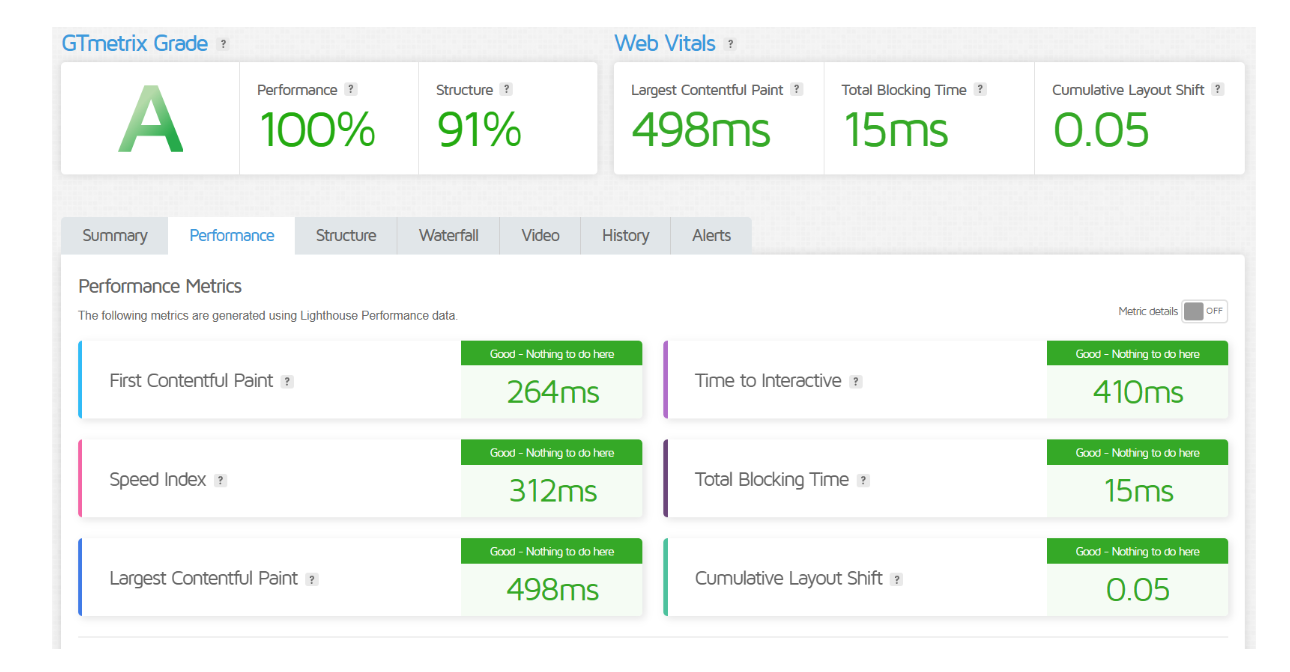
WordPress.com generally offers good performance out of the box, as it handles all the server-side optimizations and maintenance. However, performance can vary depending on your chosen plan, with free or lower-tier plans sometimes having slower speeds due to shared resources.
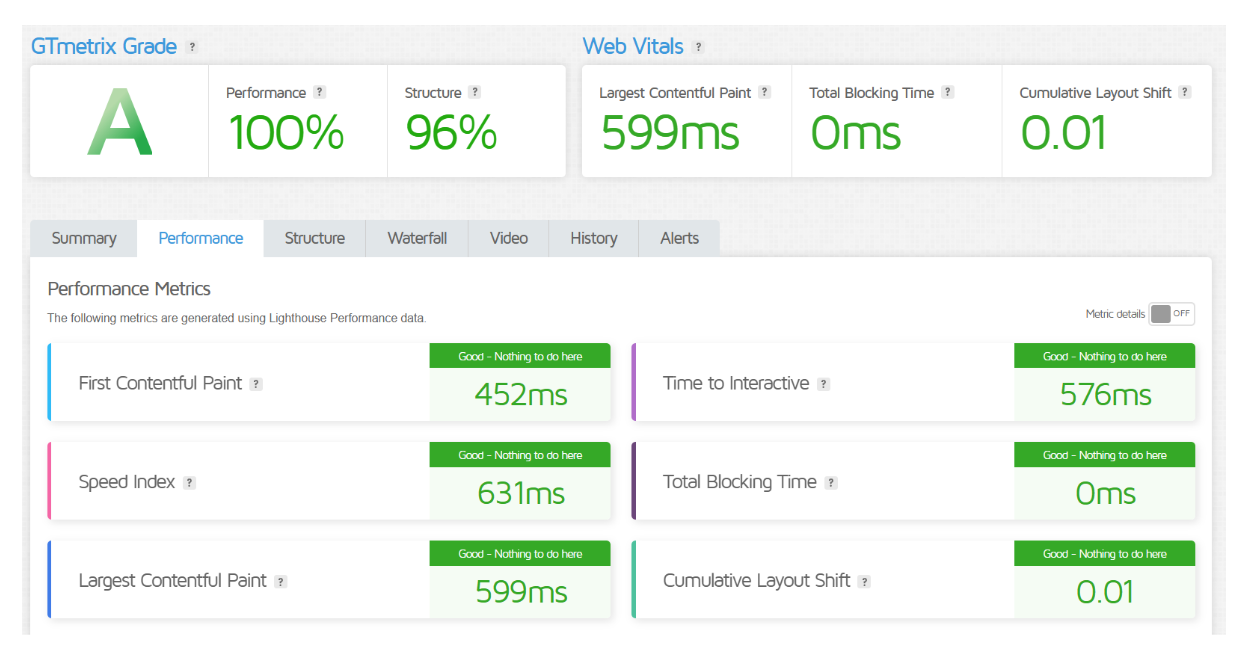
WordPress.org allows for more control over performance since you can choose your own hosting provider and server configuration. With the right hosting and optimization techniques, you can achieve faster load times and better performance, but it requires more management and technical knowledge.
Features
| WordPress.com | WordPress.org |
| Hosted platform with limited customization | Self-hosted, full control over customization |
| Pre-built themes and plugins, no installation needed | Choose any theme or plugin, full access |
| Maintenance, backups, and security handled by WP | User responsible for hosting, security, and backups |
| Free plan available with ads | Requires separate hosting and domain registration |
| Paid plans offer additional features and storage | Completely free, but requires paid hosting |
| Limited control over monetization options | Full control over monetization and ads |
| Ideal for beginners or users who prefer simplicity | Ideal for developers or users needing customization |
Uptime
WordPress.com guarantees high uptime, typically around 99.9%, as it uses managed hosting with robust infrastructure. This means you don’t need to worry about server issues, as they handle all maintenance and ensure your site stays online.
WordPress.org uptime depends on the hosting provider you choose. Some reputable hosts offer excellent uptime guarantees, often 99.9% or higher. However, if you’re using a less reliable host, your website’s uptime may fluctuate, and you’ll be responsible for addressing any downtime issues.
Performance for WordPress.com
Performance of WordPress.org
Pricing Comparison
| Plan | WordPress.com Pricing | WordPress.org Pricing |
|---|---|---|
| Free Plan | ⭐⭐⭐ | ⭐⭐⭐⭐ (Free Software, but hosting needed) |
| Personal Plan | $4/month | Varies by hosting (around $3–$10/month) |
| Premium Plan | $8/month | Varies by hosting (around $3–$10/month) |
| Business Plan | $25/month | Varies by hosting (around $10–$30/month) |
| eCommerce Plan | $45/month | Varies by hosting (around $10–$50/month) |
| Get Started | Choose WordPress.com | Choose WordPress.org |
Customer Services
WordPress.com provides customer service through email, live chat (on higher plans), and an extensive knowledge base. The support is reliable, with quick responses and well-organized help resources. However, users on lower-tier plans may have slower response times.
WordPress.org offers no direct customer support as it’s self-hosted. Users rely on forums, community-driven resources, and third-party support from hosting providers or developers. While these resources can be helpful, they may not always provide quick or personalized assistance.
Overall, WordPress.com offers more structured and accessible customer support, while WordPress.org requires users to be more self-reliant and may depend on external support options.
Hosting Provided by WordPress.com vs WordPress.org
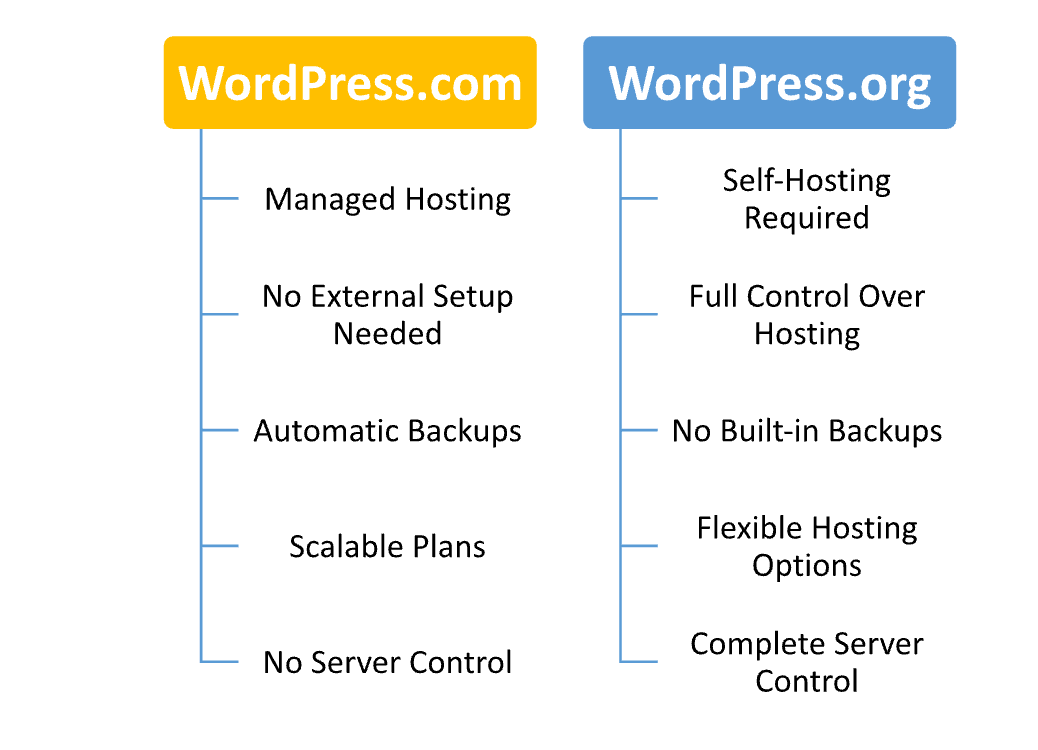
Hosting Management
| Aspect | WordPress.com | WordPress.org |
|---|---|---|
| Hosting Responsibility | Managed by WordPress | Managed by the user (choose own provider) |
| Server Management | Handled by WordPress (automated) | User must manage server settings and maintenance |
| Security & Backups | Handled by WordPress | User responsible for security, backups, and updates |
| Performance Optimization | Automatically handled (depends on plan) | User must optimize through caching, CDN, etc. |
| Uptime Management | High uptime guaranteed by WordPress | Depends on the chosen hosting provider |
| Software Updates | Automatically updated by WordPress | User must manage updates manually or via hosting provider tools |
| Get Started | Choose WordPress.com | Choose WordPress.org |
Ease of Use
WordPress.com:
- User-Friendly Interface: Easy-to-use dashboard, ideal for beginners.
- No Setup Required: Hosting, installation, and updates are handled automatically.
- Simplified Customization: Limited but straightforward theme and plugin options.
- Minimal Technical Knowledge Needed: No coding skills required to set up and manage the site.
- Support Resources: Built-in help, tutorials, and support for quick resolutions.
WordPress.org:
- More Control: Allows full customization, but requires more effort and technical skills.
- Manual Setup: Requires choosing a hosting provider, installing WordPress, and configuring the site.
- Flexible Design Options: Full control over themes, plugins, and code.
- Requires Technical Knowledge: Coding or developer skills needed for advanced customization.
- Responsibility for Maintenance: User must manage updates, backups, and security settings.
Advantage and Disadvantage:
Advantage
| WordPress.com | WordPress.org |
| Easy to use with no technical setup required | Full control over customization and design |
| Managed hosting, automatic updates, and security | Greater flexibility with plugins and themes |
| Built-in support and resources for beginners | Ideal for developers and advanced users |
| Scalable plans for growing websites | No ongoing subscription fees (only hosting) |
| Quick setup with pre-built themes and features | Complete control over site performance and hosting |
Disadvantage:
| WordPress.com | WordPress.org |
| Limited customization options for free plans | Requires technical knowledge for setup and management |
| Less control over monetization and ads | User is responsible for hosting, security, and backups |
| Limited theme and plugin options on lower plans | Needs separate hosting, domain, and additional services |
| Ads displayed on free plan | Can be expensive due to hosting and other costs |
| Can be more expensive for advanced features | Requires ongoing maintenance and updates |
What Our Customers Have To Say?
WordPress.com:
- Ease of Use: Customers love how easy it is to get started with WordPress.com, especially for those with little technical experience.
- Reliable Support: Many users appreciate the fast and helpful customer support, particularly on higher-tier plans.
- Convenience: Users enjoy the convenience of managed hosting, automatic updates, and security features.
- Scalable Plans: Customers praise the flexibility to upgrade plans as their websites grow, from personal blogs to professional sites.
- Beginner-Friendly: WordPress.com is often recommended for beginners due to its straightforward setup and intuitive interface.
WordPress.org:
- Full Control: Users love the complete control over website customization, themes, and plugins.
- Advanced Flexibility: Many customers appreciate the ability to modify the website’s code and adapt it to their specific needs.
- Great for Developers: Developers and technical users enjoy the freedom WordPress.org offers, with endless possibilities for customization.
- Responsibility for Maintenance: Some users note the added responsibility for hosting, backups, and security, which can be challenging for beginners.
- Cost-Effective: Customers appreciate that WordPress.org itself is free, though hosting costs can vary depending on the provider.
Security:
| Aspect | WordPress.com | WordPress.org |
|---|---|---|
| Security Management | Handled by WordPress | Managed by the user or hosting provider |
| Automatic Updates | Automatic core and plugin updates | User must manage core and plugin updates manually |
| SSL Certificate | Provided for all plans | Must be obtained and installed by the user |
| Backups | Automatic backups by WordPress | User must set up and manage backups |
| Firewalls & Malware | Built-in security features and protection | Must be configured manually (via plugins or hosting) |
| Two-Factor Authentication | Available on higher plans | Available through plugins or hosting services |
| Vulnerability Patching | Handled by WordPress | User must stay informed and apply patches manually |
| Get Started | Choose WordPress.com | Choose WordPress.org |
Customer Support:
WordPress.com Support:
- Live Chat: Available for higher-tier plans, offering quick responses.
- Email Support: Available for most plans with varying response times.
- Knowledge Base: Extensive resources, including guides, FAQs, and tutorials for self-help.
- Community Forums: Active forums where users can find answers or share solutions.
- Phone Support: Available for premium plans with more personalized assistance.
WordPress.org Support:
- Community-Driven Forums: Users rely on community forums for troubleshooting and advice.
- Third-Party Support: Many users opt for external support from developers or hosting providers.
- Documentation: Comprehensive guides and documentation available for self-help.
- No Direct Support: WordPress.org does not offer direct customer support, as it is self-hosted.
- Freelancers and Agencies: Many users hire professionals for technical support when needed.
Final Recommendations
| Criteria | WordPress.com | WordPress.org |
|---|---|---|
| Best for Beginners | Great for beginners with no technical skills | Not ideal for beginners |
| Customization | Limited on lower plans | Full control over customization |
| Ease of Use | Easy setup and management | Requires manual setup and management |
| Cost | Free plan available, premium plans costly | Free software, but hosting costs apply |
| Support | 24/7 support (higher plans) | Community forums, no direct support |
| Scalability | Scalable with limitations | Highly scalable with full control |
| Security & Maintenance | Managed by WordPress | User is responsible for security and updates |
| Monetization | Limited on free plan, full control on premium | Full control over ads and monetization |
| Get Started | Choose WordPress.com | Choose WordPress.org |
Frequently Asked Questions
WordPress.com is a hosted platform that handles all technical aspects. WordPress.org is self-hosted, where you manage your own hosting and server.
Yes, WordPress.com offers a free plan with limitations, such as ads and fewer customization options.
Yes, but you need to upgrade to a paid plan to use a custom domain.
Yes, WordPress.org requires you to purchase hosting and a domain from a third-party provider.
You can monetize with ads on paid plans. Free plans have limited options for monetization.
Yes, WordPress.org requires more technical knowledge for setup, maintenance, and customization.
You can only install plugins on the Business or higher plans. Free and lower-tier plans don't support plugins.
Table of Contents
Explore More




