

Comparexpert
Comparison Between Company


A2 Hosting vs Flywheel (2026): Which Hosting Is Better for Speed, Performance & WordPress?
Choosing the right hosting provider is crucial for your website’s speed, security, and scalability. In this detailed comparison of A2 Hosting vs Flywheel, we’ll break down performance, pricing, features, ease of use, and more—so you can decide which one fits your needs best.
Table of Contents
General Info of A2 Hosting vs Flywheel
A2 Hosting is known for its speed-focused infrastructure and flexible hosting plans, including shared, VPS, and dedicated hosting.
Flywheel, on the other hand, is a premium managed WordPress hosting provider designed specifically for designers, developers, and agencies.
Overview
| Criteria | A2 Hosting | Flywheel |
|---|---|---|
| Hosting Type | Shared, VPS, reseller, dedicated | Managed WordPress hosting only |
| Target Users | General users, businesses, developers | Designers, developers, agencies, WordPress users |
| Performance | Turbo servers with 20x faster speed, SSD storage | Optimized for WordPress, built-in caching, CDN |
| Uptime | 99.9% uptime guarantee | 99.9% uptime guarantee |
| Customer Support | 24/7 via phone, chat, and email | WordPress-specific support via chat and email |
| Special Features | Free SSL, site migrations, anytime money-back | Free SSL, staging, collaboration tools, daily backups |
| WordPress Optimization | Supports WordPress and other CMS platforms | Custom-built for WordPress with optimized performance |
| Pricing | Affordable with a range of plans | Premium pricing, tailored for WordPress sites |
| Get Started | Choose A2 Hosting | Choose Flywheel |
Performance
A2 Hosting is known for its speed, especially with its turbo servers, which offer up to 20x faster performance than traditional hosting. It also provides SSD storage, caching options, and optimized configurations for popular CMS platforms, ensuring quick load times and reliable uptime across various hosting plans.
Flywheel focuses on optimized WordPress performance with built-in caching, a custom-built architecture, and CDN integration to deliver fast load times. Its infrastructure is designed specifically for WordPress sites, offering stable performance, automatic updates, and daily backups, making it ideal for WordPress-specific hosting needs.
Features
| A2 Hosting | Flywheel |
| Offers shared, VPS, reseller, and dedicated hosting | Managed WordPress hosting only |
| Turbo servers with 20x faster speed | Optimized WordPress performance with built-in caching |
| Free SSL certificates and site migration | Free SSL, staging environments, daily backups |
| 99.9% uptime guarantee | 99.9% uptime guarantee |
| Customer service by phone, chat, and email, available around-the-clock | WordPress-specific support via chat and email |
| Anytime money-back guarantee | Focused on teams with collaboration tools |
| Supports multiple CMS platforms | Custom-built for WordPress sites |
Hosting Provided by A2 Hosting vs Flywheel
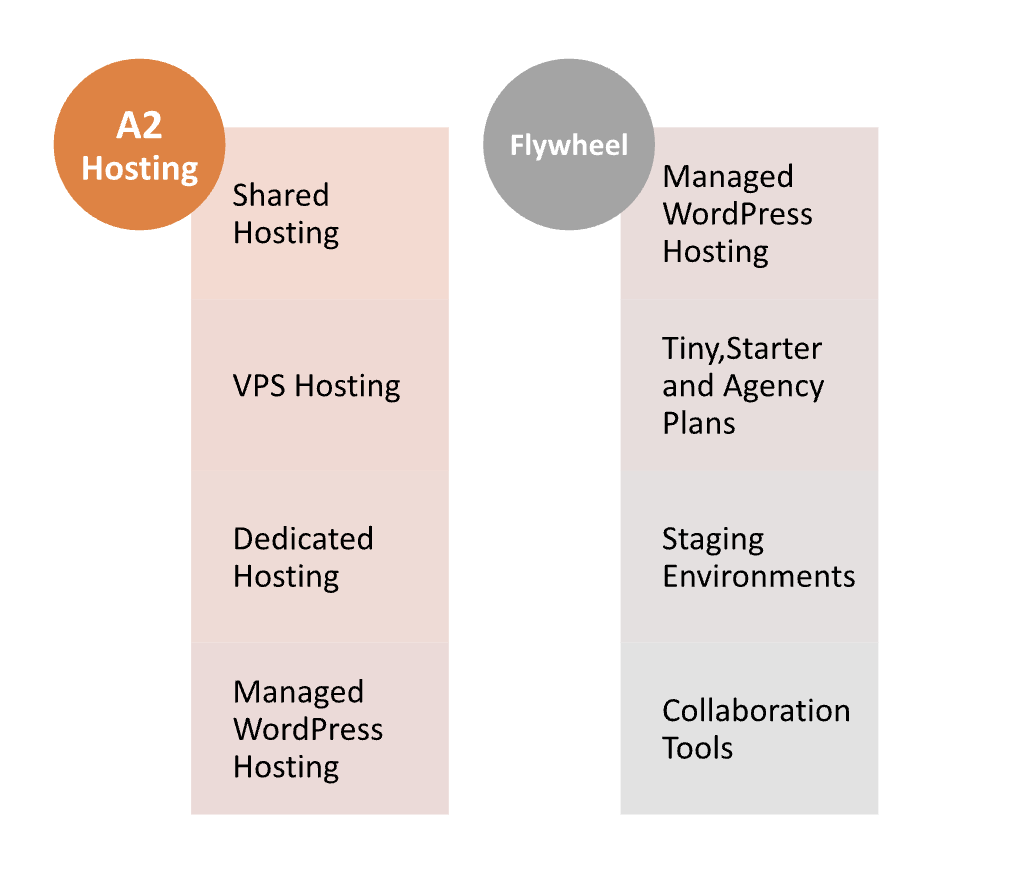
Pricing Comparison:
| Plan | A2 Hosting | Flywheel |
|---|---|---|
| Starting Price | ⭐ $2.99/month (Shared Hosting) | ⭐ $13/month (Tiny Plan – WordPress only) |
| WordPress Hosting | ⭐ $11.99/month (Managed WordPress Hosting) | ⭐ $15/month (Starter Plan) |
| VPS Hosting | ⭐ $4.99/month (Unmanaged VPS) | ❌ Not available |
| Dedicated Hosting | ⭐ $99.99/month | ❌ Not available |
| Reseller Hosting | ⭐ $24.99/month | ❌ Not available |
| Additional Costs | ⭐ Optional Turbo Boost for extra speed | ⭐ Premium add-ons like CDN, site monitoring |
| Money-Back Guarantee | ⭐ Anytime money-back guarantee | ⭐ 30-day money-back guarantee |
| Domain Registration | ⭐ $14.95/year | ❌ Not included |
| Get Started | Choose A2 Hosting | Choose Flywheel |
Flywheel

A2 Hosting

Hosting Management
| Feature | A2 Hosting | Flywheel |
|---|---|---|
| Control Panel | cPanel | Custom dashboard designed for WordPress |
| Site Management | User-friendly interface with cPanel features | Easy management with WordPress-focused tools |
| Automatic Backups | Daily backups available (with higher plans) | Daily backups included |
| Staging Environment | Available on higher-tier plans | Included in all plans |
| Security Features | Free SSL, DDoS protection, and more | Proactive security monitoring, free SSL |
| Updates Management | Manual updates for CMS and plugins | Automatic WordPress core and plugin updates |
| Performance Optimization | Turbo servers and caching options available | Built-in caching and CDN integration |
| Migration Tools | Free site migration for new customers | Free site migrations for WordPress sites |
| Get Started | Choose A2 Hosting | Choose Flywheel |
Ease of Use
A2 Hosting:
- Control Panel: Utilizes cPanel, a widely recognized and user-friendly control panel that many users are already familiar with.
- Setup Process: The initial setup is straightforward, with easy-to-follow wizards for common tasks.
- Diverse Hosting Options: Offers a range of hosting types, making it flexible but potentially overwhelming for beginners to choose the right plan.
- Documentation and Resources: Provides a comprehensive knowledge base and tutorials, though it may require some digging for specific issues.
- Performance Optimization: Users may need to manually configure performance settings, which can be complex for non-technical users.
Flywheel:
- Custom Dashboard: Designed specifically for WordPress, Flywheel’s dashboard is intuitive and tailored for ease of use.
- Simplified Management: Offers straightforward management tools, such as one-click staging and easy backup restoration, ideal for users unfamiliar with technical tasks.
- Focus on WordPress: Since it is exclusively for WordPress hosting, users benefit from a streamlined experience without the distractions of other CMS options.
- Automatic Updates: Handles core and plugin updates automatically, reducing the need for manual management and technical know-how.
- Collaboration Tools: Features built-in tools for easy collaboration, making it simple for teams to work together on projects.
Advantage & Disadvantage: A2 Hosting vs Flywheel
Advantages
| A2 Hosting | Flywheel |
| Wide range of hosting options (shared, VPS, dedicated) | Specifically optimized for WordPress hosting |
| Turbo servers for enhanced speed | User-friendly dashboard tailored for WordPress |
| Affordable pricing with multiple tiers | Excellent support with WordPress expertise |
| Anytime money-back guarantee | Built-in staging environments for testing |
| Strong performance and uptime | Automatic updates for WordPress core and plugins |
| cPanel interface familiar to many users | Collaboration tools for team projects |
Disadvantages
| A2 Hosting | Flywheel |
| Interface may be overwhelming for beginners | Limited to WordPress hosting only |
| Manual performance optimization may be needed | Higher starting prices compared to some competitors |
| Certain features are exclusive to more expensive plans. | No phone support available |
| Can be complex for non-technical users | Fewer options for non-WordPress sites |
| Variable support quality in peak times | 30-day money-back guarantee may not suit all users |
Security
A2 Hosting
- Free SSL Certificates: A2 Hosting provides free SSL certificates with all plans to ensure secure data transmission.
- DDoS Protection: Implements DDoS protection to mitigate attacks and maintain site availability.
- Server Security: Features like KernelCare and proactive security measures help protect against vulnerabilities and exploits.
- Automatic Backups: Daily backups are available (with higher-tier plans), allowing for easy restoration in case of issues.
- Malware Scanning: Offers malware scanning and removal tools to help maintain site security.
- Account Isolation: Uses account isolation technology to ensure that individual accounts are protected from each other on shared hosting plans.
Flywheel
- Free SSL Certificates: Flywheel also offers free SSL certificates with all plans for secure connections.
- Proactive Security Monitoring: Provides continuous monitoring to detect and respond to threats quickly.
- Automatic Backups: Daily backups are included in all plans, ensuring that sites can be restored easily.
- WordPress-Specific Security: Focuses on WordPress security with measures like automatic core and plugin updates to reduce vulnerabilities.
- Firewall Protection: Includes a firewall to protect against malicious traffic and attacks.
- Malware Scanning and Removal: Offers malware scanning with options for removal to keep sites secure.
What Our Customers Have to Say?
A2 Hosting
- Speed and Performance: Many customers praise A2 Hosting for its fast loading times and performance, especially with turbo servers.
- Customer Support: Users frequently highlight the responsiveness and helpfulness of the “Guru Crew” support team, noting quick resolutions to issues.
- Value for Money: Customers appreciate the affordability of the plans and the variety of hosting options available.
- cPanel Interface: Some users find cPanel intuitive and easy to use, while others feel it can be a bit overwhelming for beginners.
Flywheel:
- User-Friendly Dashboard: Customers often commend Flywheel for its clean, easy-to-navigate dashboard tailored for WordPress users.
- Specialized WordPress Support: Users appreciate the knowledgeable support team, specifically for WordPress-related queries.
- Staging and Collaboration Features: Many clients enjoy the staging environment and collaboration tools, which streamline workflows for teams.
- Performance: Customers frequently report reliable uptime and fast loading times, contributing to a positive overall experience.
Customer Support
A2 Hosting
- 24/7/365 Availability: Offers round-the-clock support through live chat, phone, and email.
- Guru Crew Support Team: A knowledgeable support team trained to assist with a variety of hosting issues and inquiries.
- Response Time: Generally quick response times, but some users report variable quality during peak hours.
- Extensive Knowledge Base: Provides a comprehensive library of articles, tutorials, and FAQs for self-help.
- Community Forums: Users can engage with other customers and support staff in community forums for additional assistance.
Flywheel
- WordPress-Specific Support: Customer support focuses on WordPress-related issues, providing specialized help.
- Live Chat and Email Support: Offers support primarily through live chat and email, with priority support for higher-tier plans.
- Personalized Assistance: Known for delivering personalized and friendly service tailored to individual needs.
- Response Time: Generally fast response times, especially for urgent issues, but no phone support is available.
- Knowledge Base: Contains articles and resources specifically for WordPress management and troubleshooting.
Final Recommendations
| Criteria | A2 Hosting | Flywheel |
|---|---|---|
| Best For | Users looking for versatile hosting options | Users focused exclusively on WordPress |
| Performance Needs | High-speed options with turbo servers | Optimized for WordPress performance |
| Support Requirements | 24/7 support for various hosting issues | Specialized WordPress support |
| Ease of Use | Familiar cPanel interface, may be complex for beginners | User-friendly, WordPress-focused dashboard |
| Security Focus | Strong general security features | Proactive WordPress security and monitoring |
| Budget Considerations | Affordable plans with a variety of options | Higher starting prices, but tailored for WordPress |
| Growth Potential | Scalable options with VPS and dedicated hosting | Limited to WordPress hosting, but high performance for that niche |
| Ideal Users | Small to medium businesses, developers, and tech-savvy users | Designers, agencies, and businesses prioritizing WordPress |
| Get Started | Choose A2 Hosting | Choose Flywheel |
Frequently Asked Questions
A2 Hosting offers shared, VPS, reseller, dedicated, and managed WordPress hosting. Flywheel specializes solely in managed WordPress hosting.
A2 Hosting provides turbo servers that can deliver up to 20x faster speeds, while Flywheel is optimized specifically for WordPress, ensuring fast loading times through built-in caching.
Yes, both A2 Hosting and Flywheel provide free SSL certificates with all hosting plans to ensure secure connections.
A2 Hosting offers 24/7 support via live chat, phone, and email, while Flywheel provides WordPress-specific support primarily through live chat and email, with no phone support.
A2 Hosting offers daily backups on higher-tier plans, whereas Flywheel includes daily backups in all plans.
Flywheel is often considered easier to use due to its custom dashboard designed for WordPress management, while A2 Hosting uses cPanel, which may be more familiar to some users but can be overwhelming for beginners.
No, Flywheel is exclusively for WordPress hosting. A2 Hosting, on the other hand, supports a variety of CMS platforms.
Table of Contents
Explore More




