

Comparexpert
Comparison Between Company


DreamHost vs WP Engine (2026): Which Hosting Is Better for You?
Choosing the right web hosting provider can make or break your website’s performance. In this detailed comparison, we’ll break down DreamHost vs WP Engine to help you decide which one fits your needs.
Whether you’re a beginner, blogger, or running a high-traffic business website, this guide will give you a clear answer.
Table of Contents
General Info of DreamHost vs WP Engine
DreamHost is a reliable, affordable web host offering shared, VPS, and managed WordPress hosting. Known for high uptime, unlimited storage, and strong customer support, it’s ideal for growing websites with a 97-day money-back guarantee.
Performance, security, and professional support are the main priorities of WP Engine, a premium managed WordPress server. It offers fast, scalable hosting with automated backups, but at a higher price, making it suited for businesses needing high-performance sites.
DreamHost is budget-friendly with a variety of hosting options, while WP Engine offers premium, WordPress-specific performance and support, making it ideal for users prioritizing speed and reliability.
Overview
| Feature | DreamHost | WP Engine |
|---|---|---|
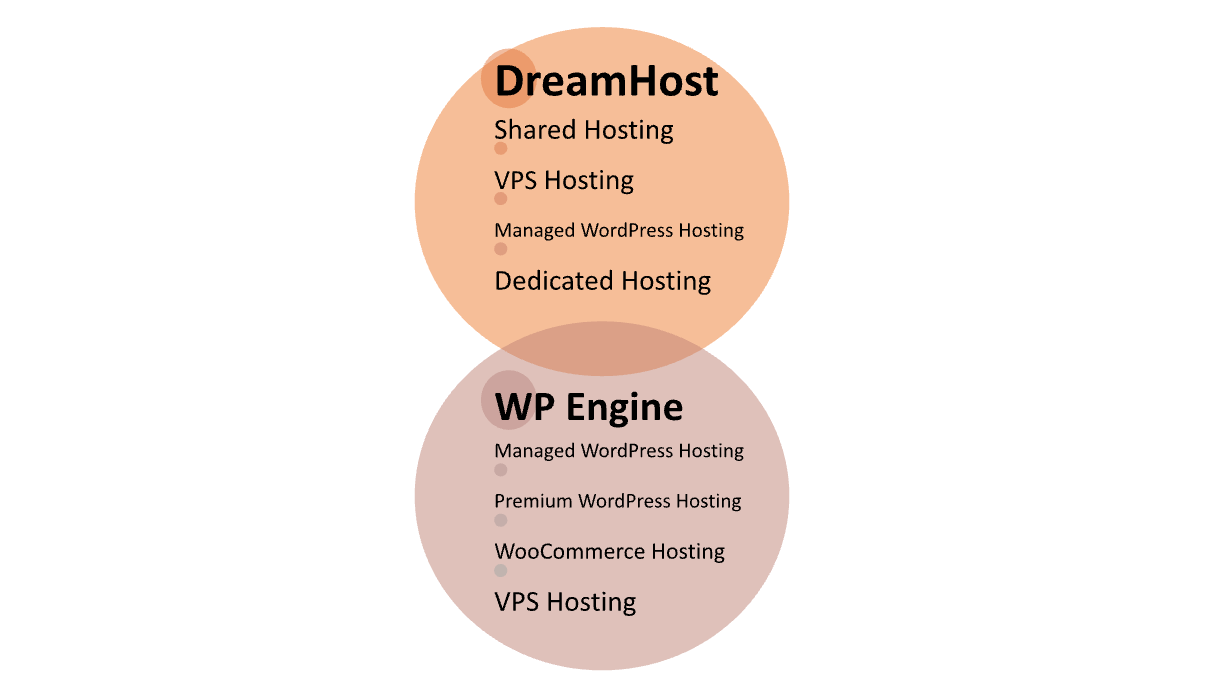
| Hosting Types | Shared, VPS, Managed WordPress | Managed WordPress |
| Performance | Solid uptime and speed, good for most sites | Optimized for high speed and scalability |
| Uptime Guarantee | 99.9% uptime | 99.9% uptime |
| Support | 24/7 chat and email, good for general issues | 24/7 chat and phone, WordPress experts |
| Security | Free SSL, daily backups, security patches | Enhanced security features, automatic backups |
| Storage & Bandwidth | Unlimited (on most plans) | Limited, but optimized for performance |
| Pricing | More affordable, budget-friendly | Premium pricing for high-performance hosting |
| Special Features | Free domain for first year | Global CDN, advanced caching |
| Target Audience | Beginners, growing websites | Businesses, high-traffic sites |
| Get Started | Choose DreamHost | Choose WP Engine |
Performance
DreamHost offers solid performance with high uptime and fast loading speeds, especially on its VPS and managed WordPress plans. However, it may not match the speed optimizations seen in premium providers for high-traffic sites.
WP Engine excels in performance, offering optimized environments for WordPress, fast loading times, and automatic scaling. It uses advanced caching and a global CDN, ensuring top-tier speed and reliability for high-traffic websites.
Features
| DreamHost | WP Engine |
| Shared, VPS, and Managed WordPress hosting | Premium managed WordPress hosting |
| Unlimited storage and bandwidth (on most plans) | Optimized for high performance and speed |
| Free domain for the first year | Global CDN and advanced caching |
| 97-day money-back guarantee | Automated backups and enhanced security |
| 24/7 support via live chat and email | 24/7 support via live chat and phone |
| Strong knowledge base for self-help | Expert support with WordPress specialists |
| Scalable plans for growing websites | Premium infrastructure for high-traffic sites |
Uptime
DreamHost boasts a reliable uptime of around 99.9%, backed by a strong track record of performance. While this is solid, occasional minor downtimes may occur, which is typical for most hosting providers.
WP Engine also promises a 99.9% uptime, with a focus on ensuring minimal disruptions through its managed WordPress environment. It offers high reliability and often delivers slightly more consistent uptime due to its premium infrastructure.
Pricing Comparison
| Plan | DreamHost | WP Engine |
|---|---|---|
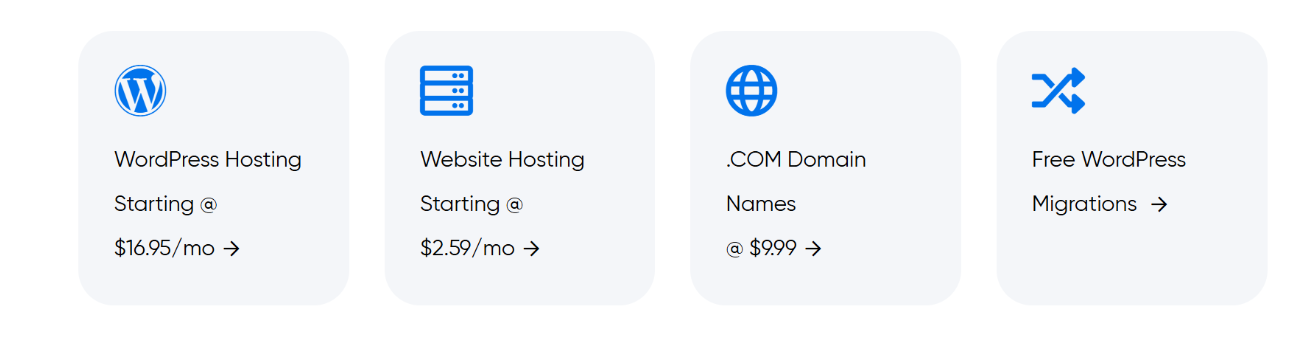
| Shared Hosting | Starting at $2.59/month | Not available |
| VPS Hosting | Starting at $10/month | Not available |
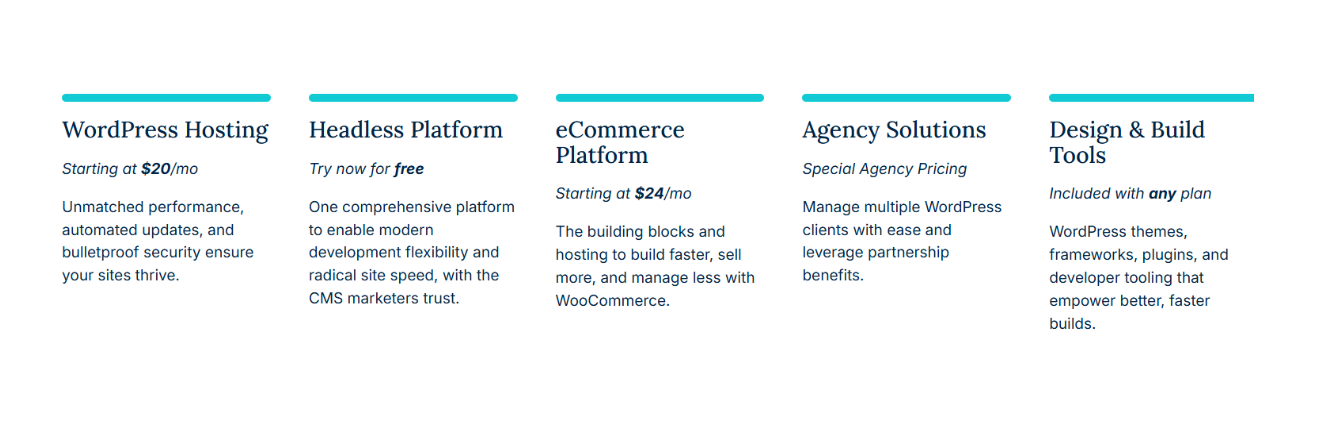
| Managed WordPress | Starting at $16.95/month | Starting at $20/month (Startup Plan) |
| Dedicated Hosting | Starting at $149/month | Not available |
| Free Domain | Free for 1st year (with annual plan) | Not included |
| Money-back Guarantee | 97-day guarantee | 60-day guarantee |
| Additional Features | Unlimited storage/bandwidth (most plans) | Global CDN, premium support |
| Get Started | Choose DreamHost | Choose WP Engine |
DreamHost
WP Engine
Hosting Management
| Feature | DreamHost | WP Engine |
|---|---|---|
| Management Type | Self-managed and fully managed options | Fully managed WordPress hosting |
| Control Panel | Custom control panel (DreamHost Panel) | Custom control panel (WP Engine Dashboard) |
| Performance Optimizations | Good, with SSD storage and caching options | Advanced performance optimizations, caching, and CDN |
| Automatic Backups | Daily backups included | Daily backups included, one-click restore |
| Security | Free SSL, malware removal, DDoS protection | Enhanced security, automatic updates, threat detection |
| Scalability | Flexible with VPS and managed hosting | Seamless scaling with automatic resource allocation |
| Updates | Manual updates (except managed plans) | Automatic WordPress core and plugin updates |
| Maintenance | User responsible for maintenance (except managed plans) | WP Engine handles all maintenance and updates |
| Get Started | Choose DreamHost | Choose WP Engine |
Ease of Use
DreamHost
- Control Panel: User-friendly custom control panel, but may take a little time for beginners to get familiar with.
- Setup: Easy to set up for shared hosting and managed WordPress plans.
- Navigation: Simpler for basic hosting needs; offers a straightforward interface for managing domains, emails, and sites.
- Learning Curve: Minimal for basic users, but VPS and advanced options require some technical knowledge.
- Customer Support: Good resources, but the learning curve may require more reliance on support for beginners.
WP Engine
- Control Panel: Very intuitive and tailored specifically for WordPress users, making it easy to manage sites.
- Setup: Streamlined and optimized for WordPress, with one-click installs and auto-configurations.
- Navigation: Very clean and WordPress-centric, with a dashboard that highlights essential features.
- Learning Curve: Easier for WordPress users due to specialized tools and features designed for performance and management.
- Customer Support: Premium WordPress-specific support, offering fast and expert help when needed, reducing the learning curve for more complex issues.
Hosting Provided by DreamHost vs WP Engine
Advantage and Disadvantage
Advantage
| DreamHost | WP Engine |
| Affordable pricing, especially for shared hosting | Optimized for high performance and speed |
| Offers a variety of hosting types (Shared, VPS, etc.) | Specialized in managed WordPress hosting |
| Good for beginners with a simple control panel | Premium support with WordPress experts |
| 97-day money-back guarantee | Advanced caching and global CDN |
| Free domain for the first year | Automated backups and enhanced security features |
| Unlimited storage and bandwidth on many plans | Seamless scalability and performance for high-traffic sites |
| Strong knowledge base for self-help support | High reliability and uptime |
Disadvantage
| DreamHost | WP Engine |
| Customer support response time can be slow | Higher pricing, especially for small sites |
| Limited features on lower-tier plans | No shared hosting options |
| Performance may vary on lower-tier plans | Limited to WordPress hosting only |
| VPS hosting requires more technical knowledge | No free domain for first year |
| Some users report slower site speeds | Storage limits on lower-tier plans |
What Our Customers Have To Say?
DreamHost:
- Positive Reviews: Customers appreciate DreamHost’s affordability, reliable uptime, and user-friendly interface for beginners.
- Customer Support: Many users report helpful support, though some mention longer wait times during peak periods.
- Ease of Use: DreamHost is favored for its simple control panel and easy setup, especially for basic hosting needs.
- Performance: Users generally find DreamHost’s performance to be good, but some report slower speeds on lower-tier plans.
- Negative Feedback: Occasional complaints about limited features on lower-tier plans and issues with VPS hosting management.
WP Engine:
- Positive Reviews: Customers rave about WP Engine’s speed, security, and WordPress-specific optimizations, making it ideal for high-traffic sites.
- Customer Support: Praised for premium, responsive support from WordPress experts, with quick resolution of issues.
- Ease of Use: Users find WP Engine’s platform intuitive and easy to navigate, especially for WordPress-focused needs.
- Performance: Consistently high marks for fast loading times, scalability, and performance even during traffic surges.
- Negative Feedback: Some customers feel the pricing is higher than other hosts, particularly for small businesses or personal blogs.
Security:
| Security Feature | DreamHost | WP Engine |
|---|---|---|
| SSL Certificates | Free SSL included | Free SSL included |
| Daily Backups | Daily backups included | Daily backups with one-click restore |
| Malware Protection | Malware detection and removal available | Advanced malware scanning and prevention |
| DDoS Protection | Basic DDoS protection | Advanced DDoS protection |
| Firewall | Standard firewall protection | Custom firewall for enhanced security |
| Two-Factor Authentication | Available for account login | Available for account login |
| Automatic Software Updates | Not automatic for all plans | Automatic WordPress core and plugin updates |
| Security Monitoring | 24/7 security monitoring | 24/7 security monitoring |
| Backup Retention | Retains backups for 7 days | Retains backups for 30 days |
| Get Started | Choose DreamHost | Choose WP Engine |
Customer Support:
DreamHost
- Availability: round-the-clock email and live chat assistance.
- Response Time: Response times can vary, sometimes slower during peak hours.
- Support Quality: Generally helpful, but more generalist in nature, with some users needing to escalate issues.
- Support Resources: Extensive knowledge base and community forums for self-help.
- Specialized Support: More suitable for basic to mid-level technical issues, but may lack deep expertise for advanced troubleshooting.
WP Engine
- Availability: 24-hour phone and live chat assistance.
- Response Time: Fast and efficient, often praised for quick resolutions.
- Support Quality: Highly rated for WordPress-specific expertise and problem-solving.
- Support Resources: Comprehensive knowledge base, including detailed WordPress guides and troubleshooting tips.
- Specialized Support: Excellent for WordPress-related issues, offering expert assistance for complex problems.
Final Recommendations
| Criteria | DreamHost | WP Engine |
|---|---|---|
| Best for | Budget-conscious users and beginners | Businesses or high-traffic WordPress sites |
| Performance | Good for most sites, but can vary on lower-tier plans | Superior performance, especially for WordPress |
| Ease of Use | Simple for basic hosting, user-friendly | Intuitive, WordPress-optimized interface |
| Customer Support | 24/7 support, but can be slower during peak times | 24/7 expert WordPress support, fast response |
| Security | Basic security features, with free SSL | Advanced security and proactive monitoring |
| Pricing | More affordable, especially for entry-level plans | Higher cost but offers premium features for WordPress users |
| Hosting Options | Shared, VPS, Managed WordPress, Dedicated | Managed WordPress and WooCommerce hosting |
| Scalability | Flexible plans for growth | Seamless scaling for high-traffic WordPress sites |
| Recommendation | Ideal for individuals or small businesses looking for cost-effective hosting | Best for businesses needing high performance, security, and WordPress-specific support |
| Get Started | Choose DreamHost | Choose WP Engine |
Frequently Asked Questions
DreamHost offers a range of hosting options (shared, VPS, managed WordPress, etc.), while WP Engine focuses exclusively on premium, managed WordPress hosting with advanced performance optimizations.
DreamHost is generally more affordable, especially for entry-level hosting plans. WP Engine is a premium service with higher pricing, particularly suitable for larger businesses or high-traffic WordPress sites.
Yes, both offer WordPress hosting, but WP Engine specializes in it, offering better performance, security, and support for WordPress sites.
WP Engine is known for faster, more specialized support, particularly for WordPress issues. DreamHost offers reliable support but with slightly longer wait times during peak periods.
WP Engine is more user-friendly for WordPress users due to its tailored features and dashboard. DreamHost is simple for beginners, especially for shared and VPS hosting, but may require more learning for advanced options.
Both offer DDoS protection, daily backups, and free SSL. WP Engine offers additional advanced security measures like proactive malware scanning, while DreamHost focuses on basic security with optional paid upgrades.
WP Engine offers superior performance with advanced caching, CDN, and optimizations for WordPress sites. DreamHost provides solid performance, but its lower-tier plans may not be as fast.
Table of Contents
Explore More




