
Comparexpert
Comparison Between Company


How Miro Can Improve Brainstorming and Project Planning

Discover how Miro can improve brainstorming and project planning with visual collaboration, mind maps, sticky notes, templates, AI tools, and project workflows. Learn how teams can use Miro to organize ideas, prioritize tasks, collaborate remotely, and turn creative discussions into actionable project plans.
Table of Contents
What Is Miro and Why Does It Matter?
Miro is a visual collaboration workspace designed to help teams collect ideas, discuss problems, organize information, and plan work in one shared environment. Instead of keeping ideas scattered across notebooks, emails, chat messages, spreadsheets, and separate planning tools, a team can place much of its thinking on a shared canvas. Miro currently supports visual tools such as sticky notes, mind maps, diagrams, tables, timelines, Docs, Slides, and Kanban-style planning. Its current feature set also includes AI capabilities that can help summarize, organize, and transform information on a board.
Miro as a Visual Collaboration Workspace
One of Miro’s key advantages is how it organizes and displays information in a clear, visual format. Traditional project documents usually force people to read information from top to bottom, while a visual canvas lets teams arrange ideas spatially. You can place a problem in one area, possible solutions around it, supporting research nearby, and action items in another section. This can make complicated discussions easier to follow because the relationship between different pieces of information is visible. Miro also supports both real-time and asynchronous collaboration, which is useful when team members are working from different locations or schedules.
How Miro Makes Brainstorming More Effective
Brainstorming works best when people can share ideas quickly without worrying about formatting, structure, or whether an idea sounds perfect. Miro provides a flexible canvas where participants can add sticky notes, images, diagrams, drawings, links, documents, and other content. The platform also provides brainstorming features such as timers, voting, reactions, breakout frames, and templates. These tools can give a brainstorming session a simple structure without making it feel like a formal meeting.
Capture Ideas Without Interrupting Creativity
One common brainstorming problem is that people start judging ideas while they are still creating them. Miro’s sticky notes provide a quick way to capture thoughts first and organize them later. Participants can add many ideas to the board, move them around, group similar concepts, and add labels or reactions. This creates a useful separation between idea generation and idea evaluation, which can help a team explore more possibilities before deciding what deserves attention. Miro also supports converting physical brainstorming notes into editable digital sticky notes, helping teams continue an in-person session online.
Organize and Prioritize Ideas
A large brainstorming session can quickly produce dozens or hundreds of ideas. Without organization, the board can become difficult to understand. Miro allows teams to cluster sticky notes, create sections, apply tags, and use voting to identify ideas that deserve deeper discussion. Anonymous voting can also help reduce the effect of seniority or louder voices because participants can evaluate ideas without necessarily attaching their identity to the vote. Once the strongest ideas are visible, the team can move them into a planning area and begin defining practical next steps.
Using Miro for Structured Brainstorming
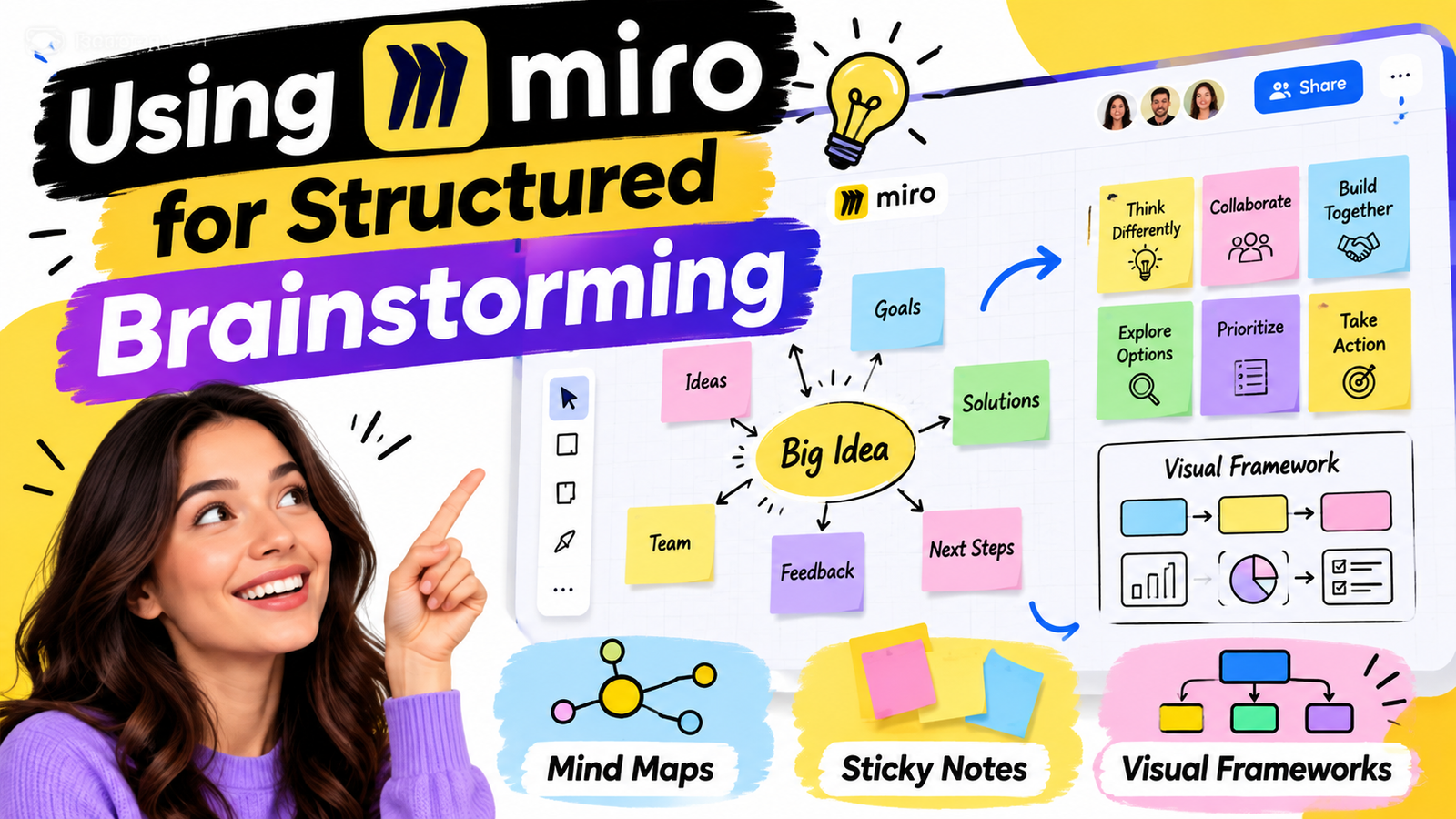
Unstructured brainstorming can be useful, but structured brainstorming is often easier to manage when the problem is complex. Miro provides templates and visual frameworks for techniques such as mind mapping, brainwriting, SWOT analysis, customer journey mapping, design sprints, and idea clustering. A facilitator can prepare the board before a meeting, explain what each section represents, and give participants a clear path through the activity. This approach changes brainstorming from a general conversation into a process where people know what to contribute and when to contribute it.
Mind Maps, Sticky Notes, and Visual Frameworks
Mind maps are particularly useful when a team is exploring a broad topic and wants to understand how different ideas connect. A central problem can become the starting point, with branches representing causes, opportunities, customers, features, risks, or possible solutions. Sticky notes work well for collecting individual thoughts, while diagrams can show processes and relationships. Templates provide another advantage because the team does not have to spend the first part of the meeting designing the board itself. Miro says its template library includes more than 5,000 templates, while its brainstorming resources include frameworks designed for different ideation methods.
How Miro Supports Project Planning
Brainstorming is only useful when good ideas eventually become action. This is where Miro can connect creative thinking with project planning. A team can start with a problem statement, generate ideas, group them, select priorities, and then turn selected ideas into tasks or planning items. Miro’s planning capabilities include Kanban-style organization, tables, timelines, and other visual planning formats. Its Timeline tool can display work across days, weeks, months, or quarters and can also show dependencies between records.
Turning Ideas Into Tasks and Milestones
Imagine that a marketing team brainstorms 50 ideas for a product launch. Instead of copying selected ideas manually into another document, the team can organize the strongest concepts and turn them into actionable work. Tasks can then be assigned, grouped by phase, and connected to dates or milestones. A timeline can provide a broader view of the project while a Kanban-style board can show what is planned, in progress, or completed. This creates a visible connection between what the team discussed and what the team plans to do next.
Miro for Team Collaboration
A project often involves people with different responsibilities, backgrounds, and ways of thinking. Designers may focus on user experience, developers may think about technical limits, marketers may focus on customers, and managers may focus on deadlines and resources. A shared Miro board gives these people a common visual space where they can contribute without needing to translate every idea into a formal document first. Comments, reactions, sticky notes, diagrams, and other board elements can make discussions more visible and easier to revisit later.
Real-Time and Asynchronous Collaboration
Miro is useful for both live meetings and asynchronous work. During a workshop, team members can add ideas at the same time, use a timer, participate in voting, and discuss results together. When people cannot attend at the same time, they can contribute later through comments and board content, while Talktrack can provide recorded context for a board. This flexibility matters for remote and hybrid teams because project planning does not always need to stop simply because everyone is not available at the same moment.
Miro Templates for Faster Planning
Starting a project board from an empty canvas can sometimes feel like another task. Templates solve this problem by providing a prepared structure that a team can customize. A project manager can select a suitable framework for sprint planning, roadmapping, workshops, customer journeys, retrospectives, or brainstorming and then modify it according to the project’s needs. Miro’s current offering includes thousands of templates, including both Miro-created and community-created resources.
Templates are particularly helpful for teams that repeat similar processes. For example, a software team might create a standard planning board containing project goals, user needs, risks, tasks, milestones, and retrospective areas. Each new project can start from that structure instead of rebuilding it from scratch. Over time, this can create a consistent planning method across the organization while still allowing teams to adapt the details. The goal is not to force every project into exactly the same shape, but to give teams a reliable starting point.
Miro AI for Brainstorming and Planning
Miro has expanded its AI capabilities beyond simple content generation. Its current AI features can help generate and organize content, summarize discussions, synthesize research, and create diagrams from information already available on a board. Miro describes its AI as context-aware, meaning the tools can work with the content and structure already present in the canvas rather than treating every request as an isolated prompt.
This can be useful after a large brainstorming session. Instead of manually reading every sticky note and trying to identify repeated themes, a team can use AI-supported clustering and summarization to create a starting point for discussion. The team still needs to review the output, because AI-generated organization is not automatically the same as a team’s final decision. In January 2026, Miro also announced AI Workflows for enterprise customers, designed to connect specialized AI agents and visual workflows with collaborative work.
Another recent development is Miro’s MCP Server, which connects Miro boards with external AI tools. Miro says the MCP Server can allow AI tools to read and write board content, create or update diagrams and documents, and work with comments and other board elements. This creates a bridge between visual project information and AI-assisted workflows, although organizations should still consider access controls, data governance, and the accuracy of generated outputs before using these capabilities in important projects.
Moving From Brainstorming to Execution
One of the most useful ways to use Miro is to treat brainstorming and planning as connected stages rather than separate activities. Start by defining the problem, then allow participants to generate ideas without judging them too early. Next, group related ideas, discuss patterns, vote on priorities, and identify the concepts that deserve action. Finally, convert those priorities into tasks, milestones, owners, and timelines. This gives the team a clear path from creative thinking to practical execution.
The process can be visualized as a simple flow:
- Define the problem
- Generate ideas
- Group similar ideas
- Discuss and refine
- Vote or prioritize
- Create tasks
- Assign responsibilities
- Set milestones
- Track progress
- Review and improve
The value of this approach is that the reasoning behind a project does not disappear when brainstorming ends. The original ideas, discussions, decisions, and planning information can remain connected on the board. Miro specifically positions its workspace as a place where teams can preserve the context behind decisions and connect ideas to execution tools such as Jira, Asana, and other platforms.
Miro for Remote and Hybrid Teams
Remote collaboration creates a simple problem: people are no longer sitting around the same physical whiteboard. A digital canvas can recreate much of that shared visual experience while adding capabilities that physical boards cannot easily provide. Team members can contribute from different locations, leave comments, review previous work, and continue discussions outside scheduled meetings. Miro’s brainstorming tools specifically support real-time collaboration as well as asynchronous participation.
For hybrid teams, this can also create a more balanced experience between people in the office and people working remotely. Instead of giving the physical room’s whiteboard most of the attention, everyone contributes to the same digital workspace. Facilitators can use timers, breakout areas, voting, and other tools to keep sessions organized. After the meeting, the same board can become a project reference rather than being erased when the meeting room is cleared.
Miro Integrations and Connected Workflows
A collaboration board becomes more valuable when it connects with the tools a team already uses. Miro currently promotes more than 250 integrations across its ecosystem, including tools such as Jira, Asana, Slack, Figma, Microsoft Teams, and others. These connections can reduce the need to repeatedly copy information from one application into another.
For example, a product team might brainstorm a feature in Miro, create a visual user journey, identify development tasks, and then connect those tasks with a project management platform. Designers can bring visual material into the discussion, while developers and managers can work from the same planning context. The exact integration capabilities depend on the tools and Miro plan being used, so teams should check the current feature availability before designing a workflow around a particular integration. Miro’s current Business offering includes integrations with Jira, Azure DevOps, and Asana with bi-directional updates for supported workflows.
Advantages of Miro
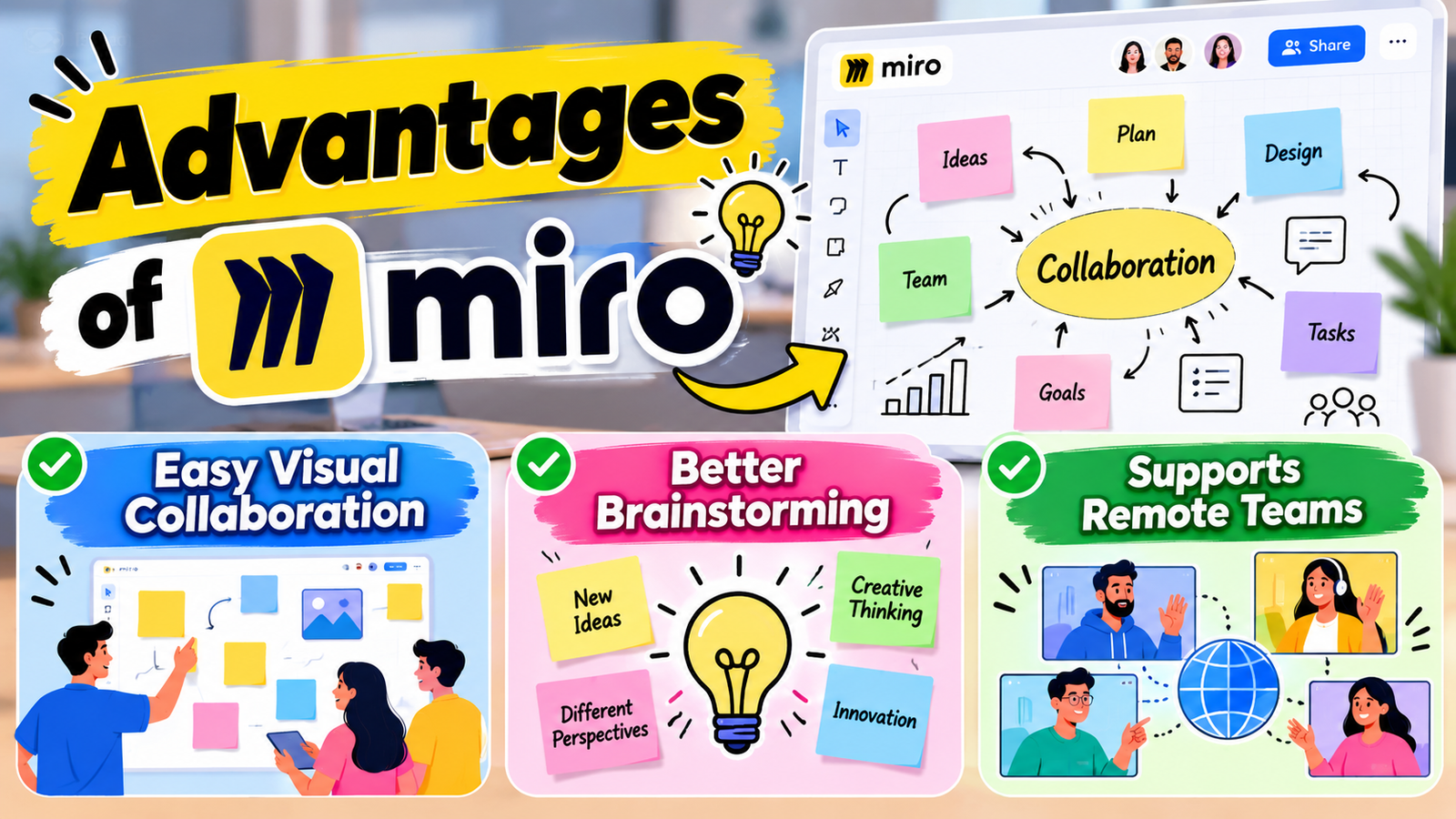
Easy Visual Collaboration
Miro provides a shared digital workspace where team members can brainstorm, organize ideas, and work together visually.
Better Brainstorming
Sticky notes, mind maps, templates, voting, and other tools help teams generate and organize ideas efficiently.
Supports Remote Teams
Team members can collaborate on the same board from different locations, making Miro useful for remote and hybrid teams.
Disadvantages of Miro
Can Become Cluttered
Large boards containing many sticky notes, diagrams, and files can become difficult to navigate without proper organization.
Learning Curve for New Users
Although basic features are easy to understand, advanced tools and workflows may take some time to learn.
Internet Dependency
Since Miro is primarily a cloud-based collaboration platform, a stable internet connection is important for a smooth experience.
How Miro Improves Team Communication
Good communication is one of the most important parts of successful project work. When team members use different documents, chats, and notes, important information can easily become scattered. Miro gives teams a shared visual space where ideas, comments, diagrams, decisions, and project information can be placed together. This can make discussions easier because everyone can refer to the same information instead of working from different versions.
Miro can also support communication during meetings. A project manager can prepare an agenda, create discussion areas, and add spaces for questions or feedback before the meeting begins. During the session, participants can add their ideas directly to the board. After the meeting, the same board can be used to record decisions and action items, creating a useful connection between discussion and follow-up work.
Also Read
How Small Businesses Can Improve Communication with Ooma Office
Why Professional Creators Are Turning to JOBY for Better Content
Exploring the Security and Optimization Features of Mackeeper
A Complete Guide to Understanding Bonus Offers and Benefits
A Guide to Finding Elegant Floral Arrangements Through Fleurop
Miro for Creative Problem-Solving
Some problems are difficult to solve through ordinary conversations because they contain many connected issues. Miro can help teams break complex problems into smaller parts and examine them visually. For example, a team facing a customer-service problem could map the customer journey, identify problem areas, collect possible solutions, and group those solutions according to cost or impact.
This approach encourages participants to look at a problem from different perspectives. One person may identify a technical issue while another notices a customer experience problem. When these observations are placed on the same board, the team can compare them and search for connections. The visual nature of Miro can therefore support creative thinking and collaborative problem-solving.
A Practical Miro Workflow for Your Next Project
A simple Miro project can begin with one board divided into several areas. The first area can contain the project objective and problem statement. The second can be used for individual brainstorming, the third for grouping and prioritization, and the fourth for selected ideas. A final section can contain tasks, owners, milestones, risks, and the project timeline. This arrangement allows participants to move from one stage to another without constantly switching between unrelated files.
Project Stage | Useful Miro Feature | Main Purpose |
Problem definition | Docs, text, frames | Clarify the goal |
Idea generation | Sticky notes | Capture ideas quickly |
Exploration | Mind maps | Show relationships |
Organization | Clustering and tags | Group related ideas |
Prioritization | Voting | Identify important ideas |
Planning | Cards, tables, Kanban | Create actionable work |
Scheduling | Timeline | Set dates and milestones |
Collaboration | Comments and reactions | Continue discussion |
Miro’s current plans vary in features and limits. As of September 2026, Miro lists a Free plan with three editable boards, while its current pricing page lists Starter at $8 per member per month when billed annually and Business at $20 per member per month when billed annually, excluding applicable taxes. The Free plan also includes access to templates and integrations, while paid plans add capabilities such as unlimited boards, private boards, version history, facilitation tools, and additional collaboration features. Pricing and feature availability can change, so teams should verify the current pricing page before purchasing.
For a small team, starting with the Free plan can be a practical way to understand whether visual collaboration fits the team’s workflow. Larger teams may need additional controls, private boards, advanced integrations, or administrative features. Educational institutions should also check eligibility for Miro’s Education offering, which Miro currently lists separately from its standard commercial plans.
Miro for Cross-Functional Teams
Cross-functional projects bring together people from different departments. Each department may have different priorities, responsibilities, and terminology. A shared Miro board can provide a common workspace where everyone can contribute information and understand the wider project.
For example, a new product launch might involve product managers, developers, designers, sales employees, customer-support staff, and marketing professionals. Each group can contribute its own perspective while viewing the same project goals and priorities. This can reduce information gaps and make collaboration between departments more organized.
Conclusion
Miro can improve brainstorming and project planning by connecting creative thinking, collaboration, organization, and execution in a shared visual workspace. Its sticky notes and brainstorming tools make it easy to collect ideas, while mind maps, templates, clustering, and voting help teams organize and prioritize those ideas. Timeline, Kanban, tables, and related planning features can then turn selected ideas into visible project work.
Its newer AI capabilities add another layer by helping teams summarize, organize, generate, and transform information on the canvas. Integrations with project management and collaboration platforms can also reduce the gap between planning and execution.
The real advantage of Miro is not simply having a digital whiteboard. It is the ability to keep ideas, conversations, decisions, plans, and actions connected. When used with a clear process, Miro can turn a brainstorming session from a collection of scattered thoughts into a structured starting point for project delivery.
Frequently Asked Questions
Yes. Miro provides sticky notes, mind maps, templates, voting, timers, reactions, breakout frames, and other collaboration features designed for brainstorming. Teams can work together in real time or contribute asynchronously, making it suitable for both traditional and remote brainstorming sessions.
Yes. Miro supports planning through tools such as Kanban boards, cards, tables, timelines, diagrams, and project templates. Teams can use these tools to move from ideas to tasks, milestones, dependencies, and project schedules.
Yes. Miro AI can help generate, organize, summarize, and synthesize information on boards. It can also help with tasks such as clustering sticky notes and turning existing board content into more structured outputs. AI-generated results should still be reviewed by the team before important decisions are made.
Yes. Miro supports real-time and asynchronous collaboration, which makes it useful for distributed teams. Features such as comments, Talktracks, voting, timers, and shared boards can help remote participants stay connected to the same project context.
Yes. Miro currently offers a Free plan with three editable boards and access to selected collaboration, template, integration, and AI capabilities. Paid plans provide additional features such as unlimited boards, private boards, version history, and advanced collaboration capabilities.
Table of Contents
Related Post

How Small Businesses Can Improve Communication with Ooma Office
admin
September 27, 2026
Read More »

The Benefits of Using ZipRecruiter for Job Searching and Recruitment
admin
September 26, 2026
Read More »

Why Professional Creators Are Turning to JOBY for Better Content
admin
September 26, 2026
Read More »