

Comparexpert
Comparison Between Company


Why Users Explore Www.Swiftpublisher.Com for Publishing Solutions
Discover why users explore Www.Swiftpublisher.Com for publishing solutions. This guide covers its key features, templates, design tools, printing options, pricing, and practical uses for creating brochures, flyers, booklets, business cards, and other professional publications on Mac.
Table of Contents
Understanding Swift Publisher
When people search for www.swiftpublisher.com, they are generally looking for information about Swift Publisher, a desktop publishing and page-layout application designed for Mac. The official website describes it as an all-purpose publishing tool for creating materials such as brochures, flyers, business cards, calendars, labels, booklets, and other print-focused documents. The current website lists Swift Publisher 5.7.8 and states that the application supports macOS 10.12 or later, including Apple Silicon and Intel processors.
The appeal is fairly easy to understand. Publishing software can sometimes feel like entering a cockpit full of buttons when a user simply wants to make a professional-looking flyer or booklet. Swift Publisher takes a more focused approach by combining templates, text controls, image editing, page layout, layers, printing tools, and export options in one Mac application. Its official feature list includes more than 500 templates, more than 2,000 included clipart images, master pages, spread view, flowing text boxes, customizable grids, and several export formats.
What Swift Publisher Offers
Swift Publisher is primarily a desktop publishing solution, rather than a general word processor. That distinction matters because the software focuses strongly on positioning text, photographs, graphics, shapes, and other page elements. Users can create documents from templates or start with a custom layout and build a design around their own content.
The official site highlights support for brochures, flyers, newsletters, catalogs, business cards, CD and DVD covers, labels, envelopes, postcards, calendars, posters, menus, and booklets. It also supports multipage projects and facing-page layouts, which can be useful for magazines, books, and other documents where pages need to be considered as a spread rather than isolated sheets.
Who Can Use Swift Publisher
One reason users explore the platform is its broad range of possible users. A small business owner might need a product brochure, while a student could need a project booklet. A community organization may need newsletters, and an individual could want invitations, greeting cards, calendars, or labels.
Swift Publisher’s own solution pages also describe use cases involving entrepreneurs, retailers, real estate agencies, restaurants, travel businesses, and other organizations. This makes the software relevant to people who need practical publishing tools without necessarily working as professional graphic designers.
Key Publishing Features
A major reason users explore Swift Publisher publishing solutions is the number of tools available for page design. The application combines traditional desktop-publishing functions with practical features aimed at everyday projects. Instead of requiring separate programs for text layout, image placement, page organization, and print preparation, many of these tasks can be handled within the same application.
The feature set includes adjustable grids, smart guides, multiple layers, master pages, text styles, image masks, drawing tools, gradients, shadows, tables, and page thumbnails. Users can also create custom document sizes and select different measurement units such as inches, millimeters, centimeters, points, picas, or pixels.
Text and Layout Tools
Text is at the heart of most publishing projects, and Swift Publisher provides several ways to work with it. Users can add standard text boxes as well as vertical and circular text. Linked text boxes allow text to flow from one box to another, including across different pages, which can help with newsletters, magazines, booklets, and other longer layouts.
Users can also control paragraph and character spacing, indentation, text transparency, rotation, and styling. Master pages can be used for recurring design elements such as page numbers, headers, footers, or backgrounds. These tools are particularly helpful when a document has multiple pages and maintaining consistent formatting would otherwise become repetitive.
Images, Graphics, and Layers
Visual content can strongly influence whether a publication looks polished or unfinished. Swift Publisher includes image editing capabilities, more than 100 image masks, smart shapes, gradients, drawing tools, and support for common image formats. The software also includes more than 2,000 clipart images, while its optional Extras Pack expands the collection substantially.
The layer-based workflow gives users additional control over complicated layouts. Elements can be organized into layers, reordered, hidden, or made non-printable. This is useful when a page contains several overlapping photographs, shapes, text boxes, and decorative elements because the designer can manage individual components without rebuilding the entire page.
Why Mac Users Consider Swift Publisher
Swift Publisher is built specifically for macOS, which is one of the main reasons users visit its website. Unlike browser-based publishing platforms, it is a native desktop application. The company says it can work with local Mac resources and supports iCloud Drive for storing projects and accessing them across compatible Macs.
This approach can be attractive to users who prefer desktop software over an online editor. A person designing a brochure, booklet, or business card may want access to files without depending on a web browser throughout the process. The software also integrates with Apple Photos and can import images from folders, giving Mac users a familiar path for bringing their existing media into publishing projects.
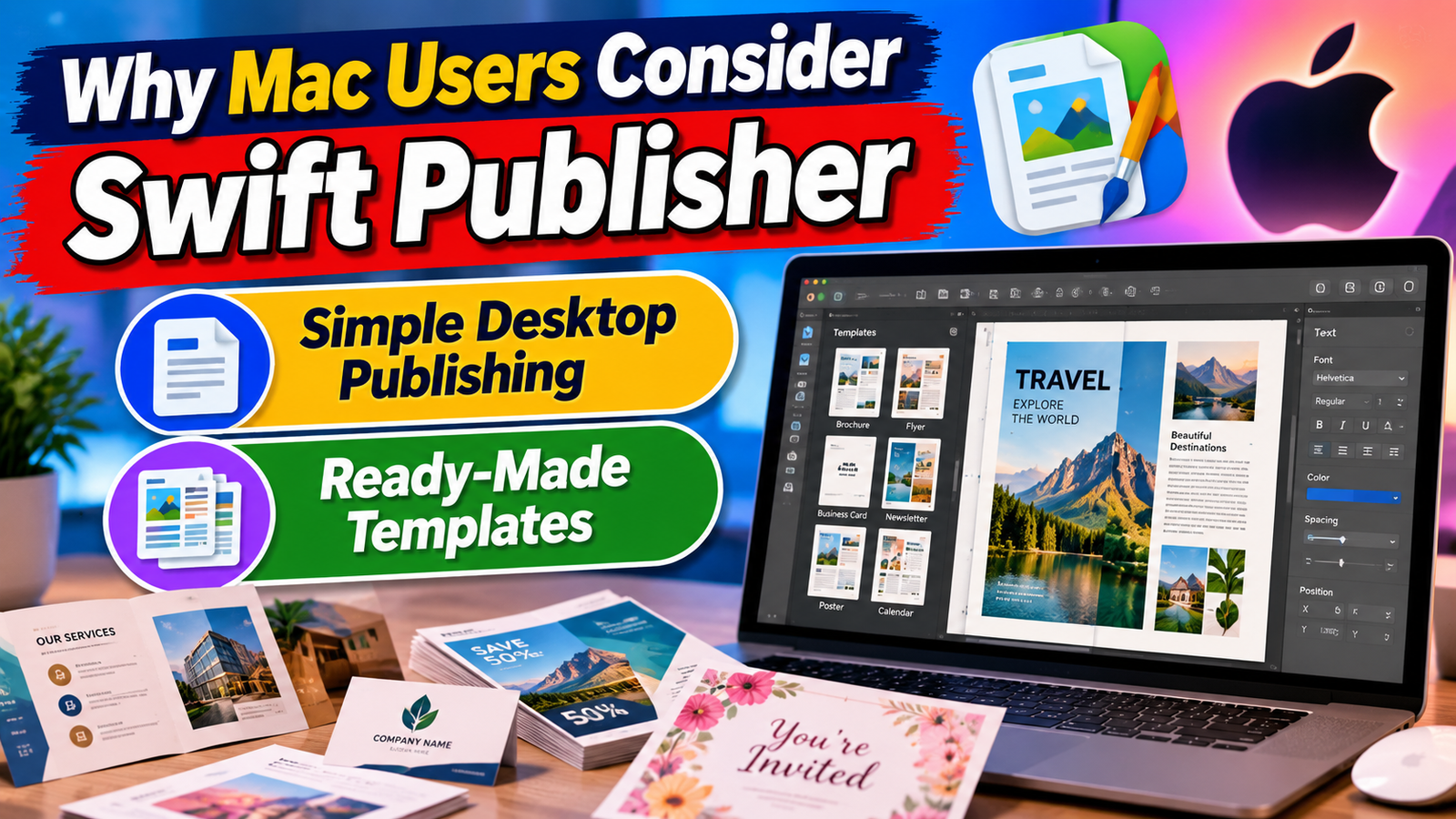
Simple Desktop Publishing
Ease of use is another reason the software receives attention. The official site positions Swift Publisher as an accessible alternative for people who may not want to spend a large amount of time learning complex professional publishing software. Its InDesign alternative page specifically emphasizes a shorter learning curve and the ability to begin with pre-designed templates.
This does not mean the application is limited to basic documents. Its feature set includes master pages, layers, linked text boxes, grids, guides, spread view, tables, image masks, barcode generation, and booklet printing. The combination is useful because beginners can start with templates while more experienced users can move toward custom layouts as their needs grow.
Ready-Made Templates
Using ready-made templates can significantly reduce the time needed to create professional designs. Instead of staring at a blank page and asking where the headline, image, contact information, and supporting content should go, users can begin with an existing structure and replace the sample material with their own.
Swift Publisher currently advertises 500+ professional templates covering several document categories. These include brochures, catalogs, business cards, social media graphics, labels, disc covers, and other projects. The templates are customizable, so users can modify text, images, colors, positioning, and other design elements rather than being locked into the original appearance.
Publishing Different Types of Documents
One of Swift Publisher’s biggest attractions is its range of supported document types. It is not restricted to one publishing format, which means a user can use the same application for several everyday design requirements. The official website specifically lists projects such as brochures, flyers, business cards, labels, envelopes, calendars, postcards, newsletters, catalogs, posters, menus, booklets, and disc-related designs.
This versatility matters for small organizations and individuals. Instead of buying or learning different software for every project, users can keep a collection of publishing work inside one desktop application. For someone producing marketing material one week and an invitation or booklet the next, that flexibility can make the workflow more convenient.
Brochures, Flyers, and Booklets
Brochures and flyers remain useful for businesses, events, educational institutions, local services, and community organizations. Swift Publisher provides templates and layout controls that can help users create these materials without starting completely from scratch. Its brochure solution page specifically highlights customizable layouts, master pages, text editing tools, and print-oriented features.
Booklet creation is another practical use case. The software includes booklet printing and page-imposition capabilities designed to arrange pages correctly for booklet-style printing. Users can therefore work on a multipage document and prepare it for physical output without manually calculating the order of every page.
Business Cards, Labels, and Invitations
Business cards and labels often require more precision than a normal document. Small spacing mistakes can become very visible when dozens or hundreds of copies are printed. Swift Publisher supports many paper layouts from manufacturers such as Avery and others, while also allowing users to create custom layouts when a particular stock is not included.
The software also supports dynamic data fields and mail-merge functions. Information can be taken from Apple Contacts or a text file to produce batches of business cards, invitations, name badges, mailing labels, and similar items. That can save time when every printed copy needs different information but the basic design remains the same.
Professional Printing Capabilities
A digital design is only part of the publishing process. If the final goal is professional printing, the file needs to meet the requirements of the printer or print shop. Swift Publisher provides several export and print-preparation features intended to bridge the gap between screen design and physical output.
The application can export projects to formats including PDF, PNG, TIFF, JPEG, and EPS. Its PDF export options include image quality and bleed settings, while users can select RGB or CMYK output where appropriate. The software also provides a text-to-curve option that can help avoid font-related problems when sending files to a print shop.
Print Shop Preparation
Preparing a publication for a commercial printer can be intimidating for beginners. Terms such as bleed, resolution, color mode, and vector text may sound technical, but they become important when the design moves from a computer screen to a printing machine.
Swift Publisher includes controls that address several of these requirements. Users can specify bleed sizes, choose suitable color settings, control image resolution, and convert text to curves when needed. These options do not replace the need to follow a printer’s specific specifications, but they can make the preparation process more manageable.
Swift Publisher for Small Businesses
Small businesses are one of the audiences that may find a desktop publishing application useful. Not every company has an in-house graphic designer, and not every marketing task requires a large professional design workflow. A restaurant might need a menu, a real estate agency may need property brochures, and a retailer could need promotional flyers or product cards.
Swift Publisher’s solution pages specifically identify entrepreneurs, retailers, real estate agencies, manufacturers, grocery businesses, restaurants, and other organizations as potential users. Its combination of templates, design tools, print support, and one-time purchase options can be relevant to businesses trying to control recurring software expenses.
For a small team, consistency is another advantage. Once a company develops a preferred style, it can reuse layouts, text styles, colors, images, and other elements across different projects. This can help marketing materials look connected even when different employees create them.
Swift Publisher for Personal Projects
Not every publishing project is commercial. People also create invitations, greeting cards, calendars, photo projects, labels, posters, and booklets for personal use. These projects can benefit from the same layout controls used for business documents.
Swift Publisher’s official solutions section includes invitation makers, greeting card creation, calendars, postcards, posters, restaurant menus, and other practical applications. The software also supports imports from Photos and folders, making it possible to incorporate personal photographs into designs.
For someone who enjoys creating things independently, the template-based workflow can provide a useful starting point without forcing the user to design every component manually. At the same time, the application’s more advanced layout tools allow users to move beyond templates when they want a more customized result.
Pricing and Purchase Options
Pricing is another factor that brings users to www.swiftpublisher.com. The current store page lists the standard single-user Swift Publisher license at $19.99. The company describes it as a one-time purchase rather than a subscription, while also offering an Extras Pack, upgrade options, and family licensing.
Option | Current listed price | Main details |
Swift Publisher | $19.99 | Single-user license and 2,000+ clipart images |
Swift Publisher + Extras Pack | $27.99 | Includes expanded clipart and 100 fonts |
Upgrade | $9.99 | For qualifying existing owners |
Family Pack | $35.99 | License for up to 5 computers in a household |
Extras Pack | $9.99 | 40,000+ royalty-free images and 100 OpenType fonts |
Swift Publisher vs. Traditional Publishing Software
Users often discover Swift Publisher while searching for an alternative to more complex desktop publishing applications. The company itself positions Swift Publisher as an alternative to products such as Adobe InDesign and Microsoft Publisher for Mac users. That does not mean the programs are identical; rather, the comparison reflects different approaches to desktop publishing.
A professional designer working on large publishing projects may require specialized tools and workflows that go beyond the typical needs of a small business or individual. A casual user, meanwhile, may care more about how quickly they can create a polished brochure or booklet. Swift Publisher focuses on this practical middle ground, combining approachable controls with features such as master pages, layers, flowing text, grids, barcode generation, and professional export options.
How Swift Publisher Can Simplify the Publishing Process
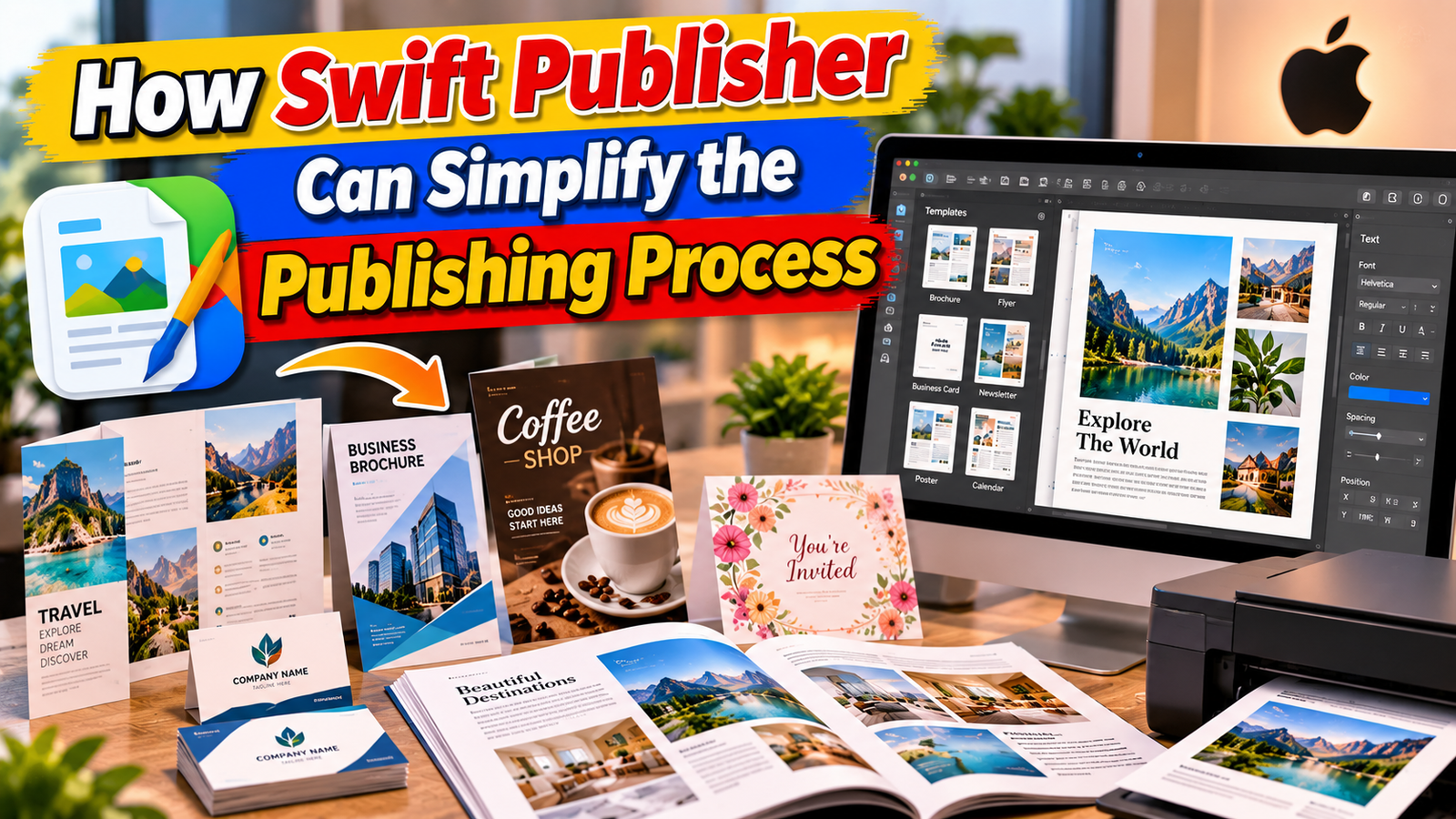
Creating professional marketing and print materials does not always require advanced design knowledge. Www.Swiftpublisher.Com attracts users who want a straightforward way to organize text, images, shapes, and other design elements on a page. Instead of building every document from the beginning, users can work with templates and then customize the content according to their requirements.
This can be helpful when a person needs to create several types of publications within a short period. A business may need a brochure for one campaign, business cards for employees, flyers for an event, and promotional materials for customers. Having these capabilities within one publishing application can make the overall design process easier to manage.
Creating Professional Marketing Materials
Marketing materials often create the first impression of a business. A well-designed brochure, flyer, menu, catalog, or business card can present information in a more organized and attractive way. Www.Swiftpublisher.Com provides tools that can help users arrange headings, images, product information, contact details, and other important content into structured layouts.
For small businesses, this can be especially useful because marketing requirements can change frequently. Instead of depending on an outside designer for every small update, users can make basic changes themselves. They can update prices, replace photographs, modify contact information, or adjust the layout when preparing a new version of a publication.
Why Templates Can Save Design Time
Starting with a blank document can sometimes make the design process unnecessarily difficult. Users have to decide the page size, placement of images, text alignment, colors, spacing, and many other details before the actual content is ready. Templates provide a starting structure that can reduce this initial work.
With Www.Swiftpublisher.Com, users can select a suitable template and customize it to match their project. The template can act like a basic framework, while the user controls the final content and appearance. This approach can be useful for beginners who want professional-looking results without spending too much time learning complicated design techniques.
Also Read
Essential Trading Concepts You Need to Know About Square Off
How Small Businesses Can Improve Communication with Ooma Office
Understanding When and How to Cede Rights or Responsibilities
Understanding the Technology Behind Popular Olympus Imaging Products
What Travelers Should Know About Iberostar (closed) and Its Hotel History
Useful for Both Digital and Printed Projects
Modern publishing is not limited to physical paper. Businesses and individuals often need documents that can be shared digitally as well as printed. A brochure may be printed for customers while also being converted into a PDF for email or online distribution.
Swift Publisher supports several export options that can help users prepare their designs for different purposes. This flexibility allows one design to become part of multiple marketing or communication channels. Users should still check the requirements of their intended printer or digital platform before exporting the final document.
Limitations Users Should Understand
No publishing application is perfect for every situation. Swift Publisher is designed specifically for Mac, so users working primarily on Windows or other operating systems will need to consider compatibility. The official requirements currently specify macOS 10.12 or higher, and the software is positioned as a Mac desktop application.
There are also limitations around advanced book publishing. The official support information says that users can typeset and print a book, but notes limitations such as the absence of a word-count feature, table-of-contents support, and dot-leading support. This distinction is important: Swift Publisher can handle book layouts, but that does not necessarily make it a full replacement for specialized long-form publishing workflows.
Users should therefore evaluate the software according to the type of publication they actually need to produce. For flyers, brochures, cards, labels, booklets, newsletters, and similar projects, its feature set is broad. For highly specialized editorial workflows, very large publishing teams, or platforms requiring extensive collaborative features, users may need to compare other solutions as well.
Conclusion
The interest in www.swiftpublisher.com largely comes from users searching for a practical Mac-based way to create and print professional-looking publications. Swift Publisher combines templates, page-layout tools, text controls, image features, layers, master pages, barcode tools, mail merge, booklet printing, and multiple export formats in a single application. Its current version, pricing, system requirements, and feature set are clearly documented on the official website.
Its one-time purchase model may also appeal to people who prefer not to add another recurring software subscription. At the same time, potential users should check the Mac-only requirement and consider whether the software’s capabilities match their specific publishing workflow. For someone who wants to create brochures, flyers, business cards, labels, booklets, invitations, newsletters, or other print-oriented projects on a Mac, Swift Publisher provides a broad set of tools within a relatively focused desktop publishing environment.
Frequently Asked Questions
Swift Publisher is a desktop publishing and page-layout application for Mac. It can be used to create brochures, flyers, business cards, labels, envelopes, booklets, newsletters, calendars, posters, invitations, and other print-oriented materials.
No. The official website currently lists Swift Publisher as a one-time purchase rather than a subscription. The standard single-user license is currently listed at $19.99, although users should check the official store for the latest price.
Swift Publisher is designed for Mac, and the current system requirements specify macOS 10.12 or higher. It is not presented by the developer as a Windows desktop application.
Yes. Swift Publisher supports multipage documents and booklet printing, and users can create book layouts with facing-page and other publishing features. However, the developer notes some limitations for book production, including the lack of built-in word count and table-of-contents support.
Yes. The official support information states that Swift Publisher has a free trial. Users can test the software before deciding whether its publishing tools match their requirements.
Table of Contents
Related Post


How Small Businesses Can Improve Communication with Ooma Office
admin
September 27, 2026
Read More »

The Benefits of Using ZipRecruiter for Job Searching and Recruitment
admin
September 26, 2026
Read More »

Why Professional Creators Are Turning to JOBY for Better Content
admin
September 26, 2026
Read More »