

Comparexpert
Comparison Between Company


Bluehost vs DreamHost: Which Web Hosting Provider Is Better in 2026?
Choosing the right web hosting provider can feel like picking the foundation for your entire online business. If the foundation is strong, everything else runs smoothly. But if it’s weak, you’ll constantly face slow speeds, downtime, and frustration. That’s why comparing Bluehost vs DreamHost is so important—both are popular, reliable, and beginner-friendly hosting providers, but they serve slightly different needs.
In this detailed comparison, we’ll break down everything you need to know—from performance and pricing to features and support—so you can make the right decision without confusion.
Table of Contents
General Info of Bluehost vs DreamHost
Bluehost is a well-known web hosting provider, particularly recommended by WordPress.org. It offers various services, including shared, VPS, and dedicated hosting, with features like free domain registration, SSL certificates, and 24/7 support. Its user-friendly interface is ideal for beginners, especially those using WordPress.
DreamHost, founded in 1997, is recognized for its performance and reliability, focusing on cloud hosting and managed WordPress services. It offers shared, VPS, dedicated, and cloud hosting with a 97-day money-back guarantee. DreamHost is praised for transparent pricing and provides unlimited bandwidth and storage on many plans.
In terms of pricing, Bluehost typically has lower introductory rates, although renewal costs can be higher. DreamHost offers clear pricing with no hidden fees. Both companies provide solid support, with DreamHost known for its knowledge base and ticket system, while Bluehost offers live chat and phone support.
Overview
| Aspect | Bluehost | DreamHost |
|---|---|---|
| Established | 2003 | 1997 |
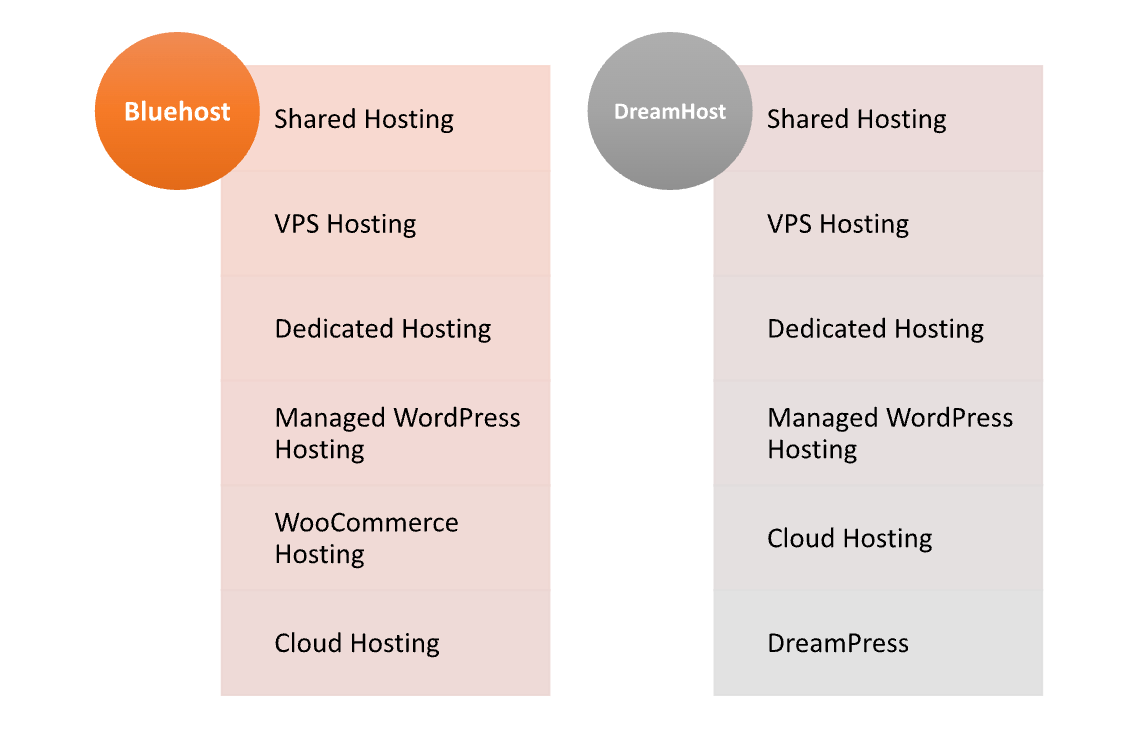
| Type of Hosting | Shared, VPS, Dedicated | Shared, VPS, Dedicated, Cloud |
| Recommended By | WordPress.org | WordPress.org |
| Uptime Guarantee | 99.9% | 100% |
| Free Domain | Yes, for the first year | Yes, for the first year |
| SSL Certificate | Free | Free |
| Customer Support | 24/7 via live chat and phone | 24/7 via live chat and ticketing |
| Money-Back Guarantee | 30 days | 97 days |
| User-Friendliness | Beginner-friendly with easy setup | Intuitive dashboard with advanced features |
| Notable Features | One-click installs, marketing credits | Cloud hosting options, SEO tools |
| Get Started | Choose Bluehost | Choose DreamHost |
Performance
Bluehost offers reliable performance, especially for WordPress sites, with a 99.9% uptime guarantee. Its servers are optimized for speed, ensuring quick loading times, though some users report occasional slowdowns during peak traffic.
DreamHost excels in speed and uptime, often achieving 100% uptime for shared hosting. Its cloud infrastructure supports scalability, making it ideal for fluctuating traffic. Advanced caching options and optimized server configurations further enhance loading times and overall performance.
Performance
| Bluehost Features | DreamHost Features |
| 99.9% uptime guarantee | 100% uptime commitment |
| Free domain registration for the first year | Free domain registration for the first year |
| Free SSL certificate | Free SSL certificate |
| 24/7 customer support (live chat, phone) | 24/7 customer support (live chat, ticket) |
| One-click WordPress installation | Managed WordPress hosting options |
| Unlimited bandwidth on most plans | Unlimited bandwidth and storage |
| 30-day money-back guarantee | 97-day money-back guarantee |
| Easy-to-use website builder | Advanced cloud hosting options |
| Marketing credits for advertising | SEO tools included |
| Multiple hosting plans (shared, VPS, dedicated) | Multiple hosting plans (shared, VPS, dedicated, cloud) |
Uptime
Bluehost guarantees a 99.9% uptime, ensuring that websites remain accessible most of the time. While it generally performs well, some users have reported occasional slowdowns during peak traffic periods.
DreamHost commits to 100% uptime for shared hosting, making it a reliable choice for websites with fluctuating traffic. This strong uptime record is supported by its robust cloud infrastructure and advanced technologies, which contribute to overall site reliability.
Customer Service
Bluehost provides 24/7 customer support through live chat, phone, and a ticketing system. Their team is responsive and helpful, especially for beginners, and they also offer a comprehensive knowledge base with tutorials for self-help.
DreamHost offers 24/7 support mainly via live chat and a ticketing system, as they do not provide phone support. Their knowledgeable team resolves issues quickly, and an extensive knowledge base allows users to find answers independently.
Both providers prioritize customer satisfaction, with Bluehost appealing to those who prefer direct communication, while DreamHost caters to users comfortable with self-service resources.
Pricing Comparison
| Plan | Bluehost Pricing | DreamHost Pricing |
|---|---|---|
| Basic | $2.95/month ★★★★☆ | $2.59/month ★★★★☆ |
| Plus | $5.45/month ★★★☆☆ | $3.95/month ★★★★☆ |
| Choice Plus | $5.45/month ★★★☆☆ | $4.95/month ★★★★☆ |
| Pro | $13.95/month ★★★☆☆ | $16.95/month ★★★☆☆ |
| Managed WordPress | $9.95/month ★★★★☆ | $16.95/month ★★★☆☆ |
| VPS | Starting at $19.99/month ★★★★☆ | Starting at $15.00/month ★★★★☆ |
| Dedicated | Starting at $79.99/month ★★★★☆ | Starting at $149/month ★★★☆☆ |
| Get Started | Choose Bluehost | Choose DreamHost |
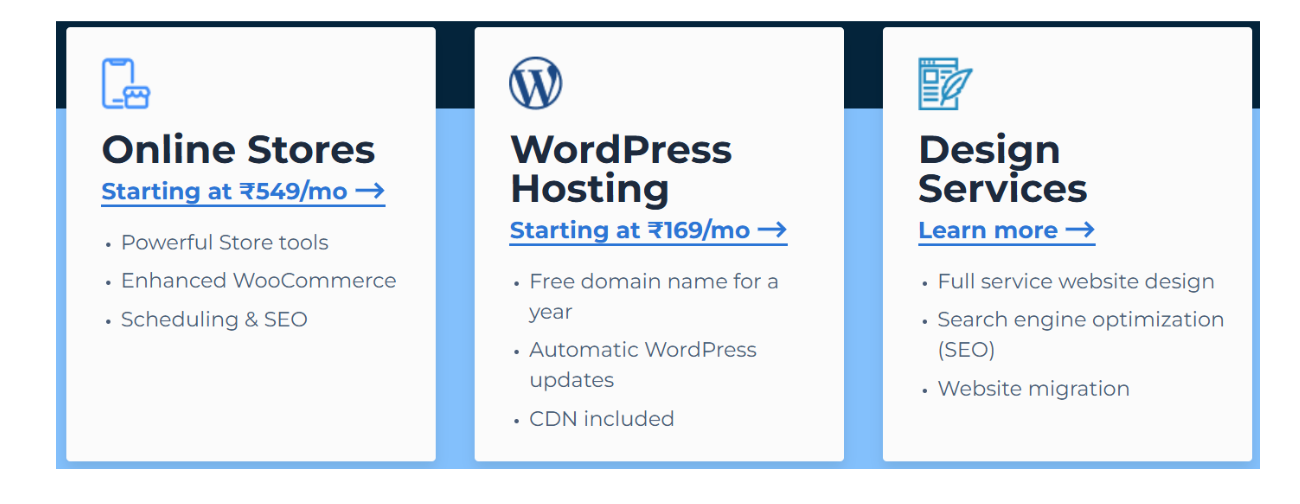
Bluehost
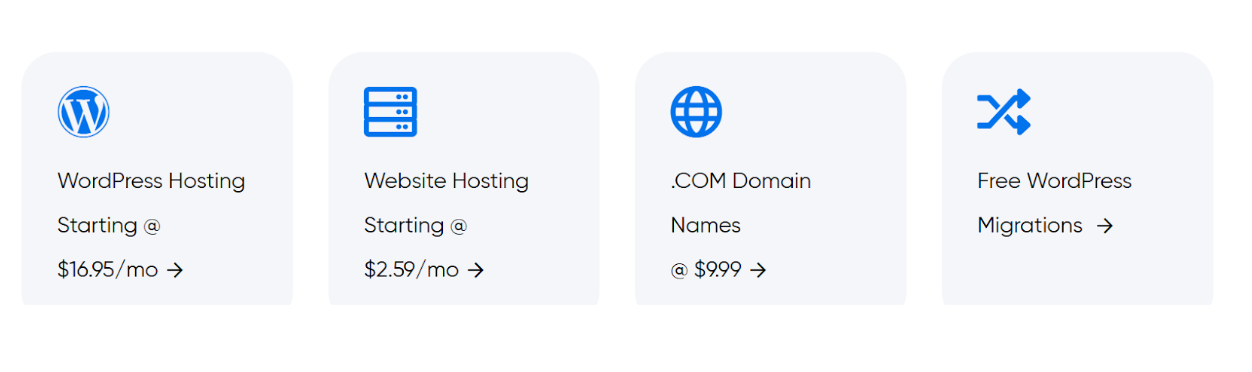
DreamHost
Hosting Management
| Aspect | Bluehost | DreamHost |
|---|---|---|
| Control Panel | cPanel | Custom control panel |
| One-Click Installs | Yes | Yes |
| Resource Management | Basic resource management tools | Advanced resource management tools |
| Performance Monitoring | Basic monitoring tools available | Advanced performance monitoring and analytics |
| Backup Solutions | Optional backups via CodeGuard | Free automated backups |
| Scalability | Easy upgrades to higher plans | Seamless scaling with cloud hosting options |
| Website Builder | Included website builder | Integrated website builder |
| Staging Environment | Limited staging capabilities | Free staging environment for WordPress |
| Security Features | Basic security features included | Advanced security features and firewall options |
| Get Started | Choose Bluehost | Choose DreamHost |
Ease of Use
Bluehost
- User-Friendly Interface: Bluehost provides a straightforward control panel (cPanel) that simplifies navigation and management of hosting features.
- One-Click Installs: Users can easily install WordPress and other applications with a single click, making setup hassle-free.
- Guided Setup Process: The initial setup includes guided steps for creating a website, making it suitable for beginners.
- Extensive Knowledge Base: Bluehost offers a rich library of tutorials and resources that help users troubleshoot and learn about their hosting services.
- Integrated Website Builder: The included website builder enables users to create sites without coding knowledge, featuring drag-and-drop functionality.
DreamHost
- Custom Control Panel: DreamHost uses its own intuitive control panel, designed to streamline the management of hosting settings, which some users find easier than cPanel.
- One-Click Installs: Like Bluehost, DreamHost offers one-click installations for WordPress and other applications, simplifying the setup process.
- Clear Navigation: The custom dashboard is easy to navigate, allowing users to manage domains, emails, and websites efficiently.
- Extensive Documentation: DreamHost provides comprehensive guides and articles that cover a wide range of topics, helping users find solutions independently.
- Integrated Website Builder: The user-friendly website builder allows for easy site creation, even for those with no technical skills, featuring customizable templates.
Hosting Provided
Advantage and Disadvantage
Advantages
| Bluehost | DreamHost |
| Easy integration with WordPress | Strong uptime guarantee of 100% |
| 24/7 customer service by phone and live chat | Comprehensive knowledge base and documentation |
| User-friendly cPanel interface | Intuitive custom control panel |
| Attractive introductory pricing | Transparent pricing with no hidden fees |
| Free domain registration for the first year | Free automated backups |
| One-click WordPress installation | Advanced cloud hosting options |
| Marketing credits for advertising | Seamless scalability with cloud infrastructure |
| Unlimited bandwidth on most plans | Managed WordPress hosting options |
Disadvantages
| Bluehost | DreamHost |
| Higher renewal rates compared to introductory prices | No live phone support for immediate assistance |
| Occasional performance slowdowns during peak times | Custom control panel may require adjustment time |
| Limited resources on lower-tier plans | More complex pricing structure for some plans |
| Backup options are not included in basic plans | Initial setup can be less guided than competitors |
| Upselling of additional features and services | Some users report slower customer support response |
What Our Customers Have To Say?
Bluehost
- Positive User Experience: Many customers appreciate the user-friendly interface and ease of setup, especially for WordPress sites.
- Responsive Customer Support: Users often report satisfaction with the availability and helpfulness of the 24/7 support team.
- Value for Money: Customers find the introductory pricing attractive, although some express concern over higher renewal rates.
- Performance Issues: A few users have experienced occasional slow loading times, particularly during peak traffic.
DreamHost
- Reliability and Uptime: Customers frequently commend DreamHost for its strong uptime and reliability, often reporting consistent performance.
- Excellent Knowledge Base: Users appreciate the extensive documentation and resources available for troubleshooting and learning.
- User-Friendly Custom Panel: Many find the custom control panel intuitive and easier to navigate than traditional cPanel interfaces.
- Limited Phone Support: Some customers express a desire for live phone support, as assistance is mainly available through live chat and ticketing.
Security
| Security Feature | Bluehost | DreamHost |
|---|---|---|
| Free SSL Certificate | Yes ★★★★★ | Yes ★★★★★ |
| Daily Backups | Optional (via CodeGuard) ★★★☆☆ | Free automated backups ★★★★★ |
| DDoS Protection | Basic protection ★★★★☆ | Advanced DDoS protection ★★★★★ |
| Malware Scanning | Available with add-ons ★★★☆☆ | Included in some plans ★★★★☆ |
| Firewall | Basic security features ★★★★☆ | Advanced firewall options ★★★★★ |
| Two-Factor Authentication | Yes ★★★★☆ | Yes ★★★★★ |
| Account Isolation | Yes ★★★★☆ | Yes ★★★★★ |
| Security Monitoring | Basic monitoring available ★★★☆☆ | Advanced security monitoring ★★★★★ |
| Get Started | Choose Bluehost | Choose DreamHost |
Customer Support:
Bluehost
- 24/7 Availability: Bluehost offers round-the-clock support through live chat, phone, and a ticketing system, ensuring assistance is always accessible.
- Helpful Support Team: Many users report positive experiences with the support team, noting their responsiveness and willingness to help, particularly for beginners.
- Extensive Knowledge Base: Bluehost provides a comprehensive library of articles, tutorials, and guides that cover various topics, helping users find solutions independently.
- Community Forum: Users can also access community forums to seek advice and share experiences with other customers.
DreamHost
- 24/7 Support Channels: DreamHost offers support through live chat and a ticketing system, providing assistance anytime.
- Knowledgeable Staff: Customers frequently commend the support team for their expertise and ability to resolve issues effectively.
- Limited Phone Support: DreamHost does not offer live phone support, which some users find inconvenient, preferring immediate assistance via voice.
- Comprehensive Documentation: The extensive knowledge base includes detailed guides and FAQs, allowing users to troubleshoot and learn about hosting services on their own.
Final Recommendations
| Aspect | Bluehost | DreamHost |
|---|---|---|
| Best For | Beginners and WordPress users | Users seeking reliability and strong performance |
| Pricing | Competitive introductory rates, higher renewals | Transparent pricing, no hidden fees |
| Customer Support | 24/7 support via chat and phone | 24/7 chat and ticket support |
| Ease of Use | User-friendly cPanel, guided setup | Intuitive custom panel, good for self-service |
| Security Features | Basic security features with optional add-ons | Advanced security features included |
| Performance | Reliable but occasional slowdowns | Strong uptime and performance |
| Backup Options | Optional backups via CodeGuard | Free automated backups |
| Customization | Good for beginners, limited advanced features | Better for advanced users needing flexibility |
| Get Started | Choose Bluehost | Choose DreamHost |
Frequently Asked Questions
Bluehost is known for its user-friendly interface and strong WordPress integration, making it great for beginners. DreamHost, on the other hand, emphasizes performance and reliability, with advanced security features and a custom control panel.
WordPress.org formally recommends both Bluehost and DreamHost. Bluehost is particularly beginner-friendly, while DreamHost offers robust managed WordPress hosting with advanced features.
Yes, Bluehost offers a 30-day money-back guarantee, while DreamHost provides a longer 97-day money-back guarantee, giving users more time to evaluate their services.
Yes, Bluehost offers 24/7 support via live chat, phone, and a ticketing system. DreamHost also provides 24/7 support through live chat and a ticketing system but does not offer phone support.
Yes, both Bluehost and DreamHost allow multiple websites on certain plans. However, the specific number of sites you can host may depend on the plan you choose.
Yes, both Bluehost and DreamHost offer free SSL certificates with their hosting plans, enhancing website security and trustworthiness.
Both Bluehost and DreamHost offer easy setup processes. Bluehost features one-click WordPress installs and a guided setup, while DreamHost also provides one-click installations and an intuitive control panel.
Table of Contents
Explore More




