

Comparexpert
Comparison Between Company


BoldGrid vs SmugMug (2026): Which Platform Is Best for Your Website or Photography Business?
When choosing between BoldGrid and SmugMug, you’re not just comparing two tools—you’re deciding between a general website builder and a specialized photography platform.
Both platforms serve different purposes, so the right choice depends on your goals.
In this detailed comparison, we’ll break down features, pricing, ease of use, and more to help you decide.
Table of Contents
General Info of BoldGrid vs SmugMug
BoldGrid is a WordPress plugin suite that simplifies website building with drag-and-drop design, customizable templates, and SEO tools. It’s ideal for users who want WordPress’s flexibility without needing coding skills.
SmugMug is a platform for photographers, focusing on photo storage, display, and sales. It offers gallery-style templates, watermarking, unlimited storage, and e-commerce features, tailored for artists and photographers.
BoldGrid is a general website builder within WordPress, suitable for blogs or business sites, while SmugMug specializes in photography portfolios and image sales, prioritizing high-quality display and security.
Overview
| Feature | BoldGrid | SmugMug |
|---|---|---|
| Primary Use | General website building on WordPress | Photography portfolios and sales |
| Platform | WordPress plugin suite | Standalone, photo-centric platform |
| Design Interface | Drag-and-drop with customizable templates | Gallery-style templates, easy photo setup |
| Hosting | Depends on WordPress hosting provider | Included in SmugMug’s dedicated platform |
| SEO Tools | Integrated with WordPress plugins | Limited, basic SEO setup |
| Storage | Varies by hosting plan | Unlimited photo storage |
| E-commerce | Requires WordPress e-commerce plugins | Built-in for selling images |
| Customer Support | Ticket-based, varies by hosting | 24/7 dedicated support via email |
| Best For | Blogs, business websites | Photographers, artists, photo portfolios |
| Get Started | Choose BoldGrid | Choose SmugMug |
Performance
BoldGrid Built on WordPress, BoldGrid leverages WordPress’s speed optimizations, with caching and performance plugins available to keep sites responsive. However, since it relies on WordPress and hosting choices, performance can vary, but good hosting and configuration can yield fast load times.
SmugMug is optimized for image-heavy sites, delivering fast, high-resolution photo loads with built-in caching and content delivery networks (CDNs). Its infrastructure is tailored to handle large photo galleries and e-commerce, ensuring quick performance even for high-traffic photography sites.
Features
| BoldGrid | SmugMug |
| Drag-and-drop builder for WordPress sites | Gallery-style templates for photos |
| Customizable templates and themes | Unlimited photo storage |
| SEO tools and plugins | Watermarking and image security options |
| Relies on hosting provider’s setup | Built-in e-commerce for selling images |
| Suitable for blogs and business sites | Tailored for photography portfolios |
Uptime
BoldGrid depends on WordPress hosting, uptime largely relies on the chosen hosting provider. Reputable hosts offer 99.9% uptime guarantees, and with proper hosting configurations, BoldGrid sites can achieve strong uptime reliability.
SmugMug provides consistent uptime across its dedicated platform, handling photo storage and e-commerce reliably. Its infrastructure is designed for high availability, offering excellent uptime even under heavy traffic loads for photography-focused sites.
Customer Service
BoldGrid offers support through a ticketing system, with additional help available depending on the user’s hosting provider. There’s a knowledge base with tutorials, guides, and community forums for troubleshooting and learning.
SmugMug provides 24/7 customer support via email, focusing on helping photographers with site setup, photo uploads, and e-commerce. Its team is knowledgeable about image handling and display, catering specifically to photographers’ needs.
While BoldGrid’s support is closely tied to the hosting provider, SmugMug offers dedicated support for photography-specific needs, providing expertise in image quality, storage, and e-commerce.
Pricing Comparison
| Feature | BoldGrid | SmugMug |
|---|---|---|
| Free Plan | Available, limited features | Not available |
| Basic Paid Plan | Starts around $5/month (hosting separate) | Basic plan at $13/month |
| Mid-Tier Plan | Starts around $10/month with more templates | Power plan at $20/month |
| Top-Tier Plan | Around $15–$20/month with full customization | Portfolio plan at $33/month |
| E-commerce Support | Requires WooCommerce or similar plugin | Included with Portfolio and Pro plans |
| Storage Limits | Varies by hosting provider | Unlimited on all paid plans |
| Trial Period | Depends on hosting provider | 14-day free trial |
| Ideal Users | General site builders needing WordPress flexibility | Photographers needing dedicated image storage |
| Get Started | Choose BoldGrid | Choose SmugMug |
Hosting Provided by BoldGrid vs SmugMug
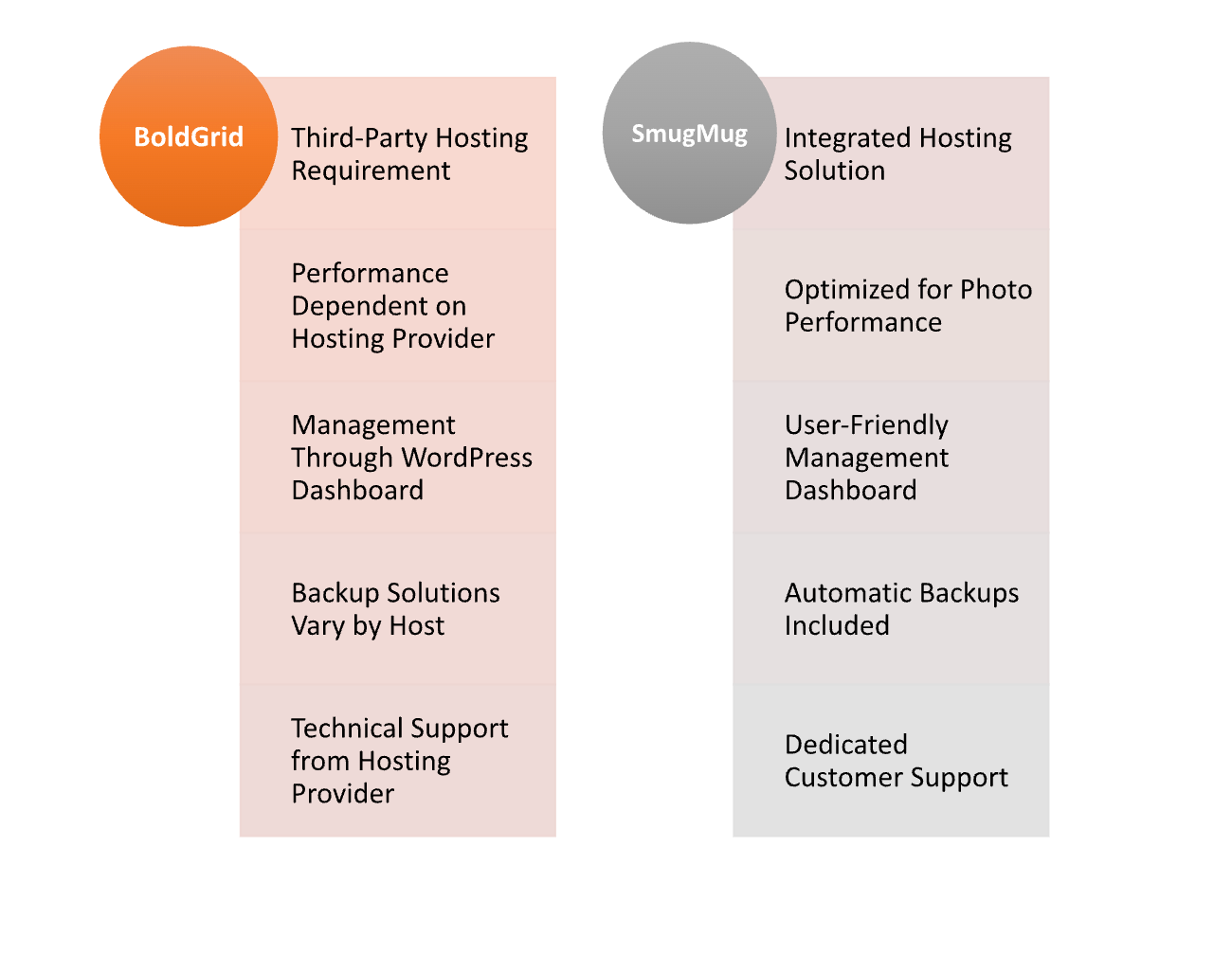
Hosting Management
| Feature | BoldGrid | SmugMug |
|---|---|---|
| Hosting Type | Requires third-party WordPress hosting | Integrated hosting provided by SmugMug |
| Management Interface | Managed through WordPress dashboard | User-friendly dashboard for photo management |
| Performance Control | Depends on hosting provider’s performance settings | Optimized for image loading and display |
| Backups | Depends on hosting provider; may require plugins | Automatic backups included |
| Security Features | Security depends on hosting provider and plugins | Built-in security measures for images and data |
| Scalability | Limited by hosting provider capabilities | Seamless scaling for photo storage |
| Technical Support | Varies based on hosting provider | 24/7 support specifically for SmugMug users |
| Migration Options | Requires manual migration if changing hosts | Easy import options for photos from various sources |
| Get Started | Choose BoldGrid | Choose SmugMug |
Ease of Use:
BoldGrid
- User-Friendly Interface: Intuitive drag-and-drop builder that simplifies the website creation process for non-technical users.
- WordPress Integration: Leverages familiar WordPress functionalities, making it easier for existing WordPress users to adapt.
- Templates and Customization: Offers a variety of customizable templates to streamline design without extensive coding.
- Built-in Tutorials: Provides helpful guides and tutorials for users to navigate features and functionalities.
- Plugin Compatibility: Supports various plugins for added functionality, making it easy to enhance website capabilities.
SmugMug
- Specialized Focus: Designed specifically for photographers, simplifying the process of uploading and showcasing images.
- Simple Setup: Quick setup process with easy-to-follow prompts for creating galleries and portfolios.
- User-Friendly Dashboard: Clear and organized dashboard for managing photos, albums, and sales without technical skills.
- Customizable Galleries: Offers straightforward options to customize gallery layouts and styles.
- Support Resources: Provides extensive help resources, including FAQs and customer support, for quick issue resolution.
Advantage and Disadvantage
Advantages
| BoldGrid | SmugMug |
| User-friendly drag-and-drop interface | Specialized for photographers |
| Seamless integration with WordPress | Beautiful gallery layouts |
| Wide range of customizable templates | Built-in e-commerce functionality |
| Flexibility for various website types | Unlimited photo storage |
| Access to numerous WordPress plugins | Reliable customer support |
Disadvantage
| BoldGrid | SmugMug |
| Relies on third-party hosting providers | Limited to photography and image-focused sites |
| Performance varies based on hosting choice | Less flexibility for non-photography websites |
| Support quality can vary depending on host | E-commerce features may not be as advanced |
| Requires additional plugins for full functionality | Pricing may be higher for advanced features |
| Learning curve for WordPress users unfamiliar | Customization options can be limited |
What Our Customers Have To Say?
BoldGrid
- User-Friendly Design: Many users appreciate the intuitive drag-and-drop interface, highlighting how easy it is to create and customize their websites without technical skills.
- WordPress Integration: Customers enjoy the seamless integration with WordPress, noting that they can leverage familiar tools and plugins while benefiting from BoldGrid’s enhancements.
- Support Experiences: Some users have mentioned mixed experiences with customer support, emphasizing that the quality varies depending on their hosting provider.
- Template Variety: Positive feedback often revolves around the range of customizable templates available, which help users quickly set up professional-looking sites.
- Performance Variability: While some users report good performance, others have experienced issues that they attribute to their chosen hosting provider, suggesting a reliance on external factors.
SmugMug
- Excellent Photo Management: Users frequently praise SmugMug for its robust photo management capabilities, making it easy to upload, organize, and showcase their images.
- Beautiful Gallery Displays: Customers love the visually appealing gallery layouts, often remarking on how professional their portfolios look to viewers.
- E-Commerce Features: Many photographers appreciate the built-in e-commerce options, allowing them to sell prints and digital downloads directly from their sites.
- Reliable Customer Support: Users often report positive experiences with SmugMug’s dedicated customer support, noting quick responses and helpful guidance.
- Unlimited Storage Satisfaction: Customers enjoy the unlimited storage offered, which allows them to upload and manage a vast collection of images without concerns about space limitations.
Security:
| Feature | BoldGrid | SmugMug |
|---|---|---|
| Security Measures | Depends on hosting provider | Built-in security measures for image storage |
| SSL Support | Requires SSL setup via hosting | Automatic SSL included for all sites |
| Data Protection | Relies on host’s data protection policies | Strong data protection with automatic backups |
| Malware Protection | Varies by hosting provider, needs plugins | Regular scans for malware and vulnerabilities |
| User Authentication | Standard WordPress user roles and permissions | Customizable privacy settings for galleries |
| Backup Solutions | Depends on host; may require plugins | Automatic backups included |
| Payment Security | Depends on e-commerce plugins used | Secure payment processing for transactions |
| Compliance | Compliance varies by hosting provider | PCI compliance for e-commerce features |
| Support for Security Issues | Depends on hosting provider’s support | Dedicated support for security concerns |
| Get Started | Choose BoldGrid | Choose SmugMug |
Customer Support:
BoldGrid
- Support Channels: Provides support primarily through a ticketing system; direct chat or phone support may depend on the hosting provider.
- Knowledge Base: Offers a comprehensive library of tutorials, guides, and FAQs to assist users in troubleshooting common issues.
- Community Forums: Users can access community forums where they can ask questions and share experiences with other BoldGrid users.
- Response Times: Response times can vary significantly based on the hosting provider, with some users reporting delays.
- Quality of Support: Mixed reviews about the quality of support, as it can differ based on the hosting provider’s customer service capabilities.
SmugMug
- 24/7 Support: Provides round-the-clock customer support via email, ensuring assistance is available at any time.
- Photography Expertise: Support staff is knowledgeable about photography-related issues, offering specialized guidance for users’ needs.
- Help Resources: Extensive help center with articles, tutorials, and FAQs covering various topics, from setup to advanced features.
- Quick Response Times: Generally positive feedback on response times, with many users reporting timely resolutions to their inquiries.
- User Community: Active community forums where users can connect, share tips, and seek advice from fellow photographers and SmugMug users.
Final Recommendations
| Criteria | BoldGrid | SmugMug |
|---|---|---|
| Best For | General website building and businesses | Photographers and artists |
| Ease of Use | Good for users familiar with WordPress | Very user-friendly for photo management |
| Customization | Highly customizable through WordPress | Customizable galleries, but limited for other sites |
| E-commerce | Requires additional plugins for full functionality | Built-in e-commerce features for selling images |
| Performance | Depends on hosting provider | Optimized for high-quality image display |
| Support | Varies by hosting provider, generally mixed reviews | 24/7 support with a focus on photography |
| Security | Relies on hosting provider for security | Strong built-in security measures |
| Cost | Lower initial costs; may vary based on hosting | Higher pricing but includes many features |
| Overall Recommendation | Ideal for users seeking flexibility in website types | Best for photographers looking for a dedicated platform |
| Get Started | Choose BoldGrid | Choose SmugMug |
Frequently Asked Questions
BoldGrid is a suite of website-building tools that operates as a plugin for WordPress, designed to simplify the website creation process with a drag-and-drop interface and customizable templates.
Yes, BoldGrid requires a third-party WordPress hosting provider to function, as it is built on the WordPress platform.
Yes, BoldGrid is user-friendly and designed for individuals with little to no coding experience, making it accessible for beginners.
Yes, you can integrate e-commerce functionality into your BoldGrid site using plugins like WooCommerce.
BoldGrid offers support primarily through a ticketing system, and the quality of support may vary depending on your chosen hosting provider.
SmugMug is a platform specifically designed for photographers to showcase, store, and sell their photos online with customizable galleries.
Yes, SmugMug offers integrated hosting solutions, so users do not need to find a separate hosting provider.
Table of Contents
Explore More




