

Comparexpert
Comparison Between Company


How Wrike Improves Team Productivity and Collaboration

Discover how Wrike helps teams streamline workflows, improve communication, and boost overall productivity. This guide explores Wrike’s key features, benefits, and how it enhances collaboration for modern teams working in fast-paced environments.
Table of Contents
Introduction to Wrike
What is Wrike?
If you’ve ever felt like your team is juggling too many tools, emails, and scattered tasks, you’re not alone. That’s exactly the chaos Wrike aims to solve. Wrike is a powerful project management and collaboration platform designed to bring teams together in one unified workspace. Think of it as a digital command center where tasks, communication, files, and progress tracking all live under one roof.
Unlike traditional tools that focus only on task lists, Wrike goes several steps further. It combines task management, real-time collaboration, reporting, and workflow automation into a single system. This means you’re not just organizing work—you’re optimizing how work gets done. Whether you’re managing a marketing campaign, software development sprint, or client project, Wrike adapts to your needs with impressive flexibility.
The real magic lies in its ability to eliminate silos. No more switching between emails, spreadsheets, and chat apps. Everything is centralized, making it easier for teams to stay aligned and focused. And when everyone knows what’s happening, productivity naturally increases.
Why Businesses Need Collaboration Tools
Let’s be honest—modern workplaces are messy. Teams are often distributed across different cities, time zones, or even continents. Without the right tools, communication gaps and inefficiencies creep in quickly. That’s where collaboration platforms like Wrike step in.
Businesses today need more than just communication—they need structured collaboration. This means having clear visibility into tasks, deadlines, responsibilities, and progress. Without this structure, even the most talented teams can struggle to stay productive. Think about trying to build a house without a blueprint. That’s what working without a proper collaboration tool feels like.
Wrike provides that blueprint. It ensures everyone knows their role, deadlines are visible, and updates happen in real time. This reduces confusion, minimizes delays, and helps teams move faster. In fact, studies show that teams using collaborative tools can improve productivity by up to 20–30%, simply by reducing time wasted on searching for information or clarifying tasks.
How Wrike Enhances Team Productivity
Centralized Work Management
One of the biggest productivity killers is fragmentation. When information is scattered across multiple platforms, teams waste valuable time searching for updates, files, or instructions. Wrike eliminates this problem by providing a centralized workspace.
Everything—from tasks and files to conversations and reports—is stored in one place. Finding what you need, when you need it, is made very simple by this. No more flipping between tools or going through emails.
Centralization also improves visibility. Managers can see the status of all projects at a glance, while team members can quickly understand their responsibilities. This clarity keeps everyone on the same page and lessens confusion.
Automation of Repetitive Tasks
It’s a fact that repetitive chores are tedious and time-consuming. Whether it’s assigning tasks, updating statuses, or sending reminders, these activities can eat up a significant portion of your day. Wrike tackles this issue with automation features.
You can set up rules that automatically assign tasks, update statuses, or notify team members based on specific triggers. For example, when a task is marked as “Completed,” the next task in the workflow can be automatically assigned to the next person.
This minimizes human error while simultaneously saving time. Automation ensures processes run smoothly without constant manual intervention.
Time Tracking and Performance Insights
Productivity isn’t just about working harder—it’s about working smarter. Teams can better understand how their time is being spent using Wrike’s integrated time tracking and analytics capabilities.
You can track how long tasks take, identify bottlenecks, and analyze performance trends. Managers are able to optimize procedures and make well-informed decisions thanks to this data-driven strategy.
Core Features of Wrike
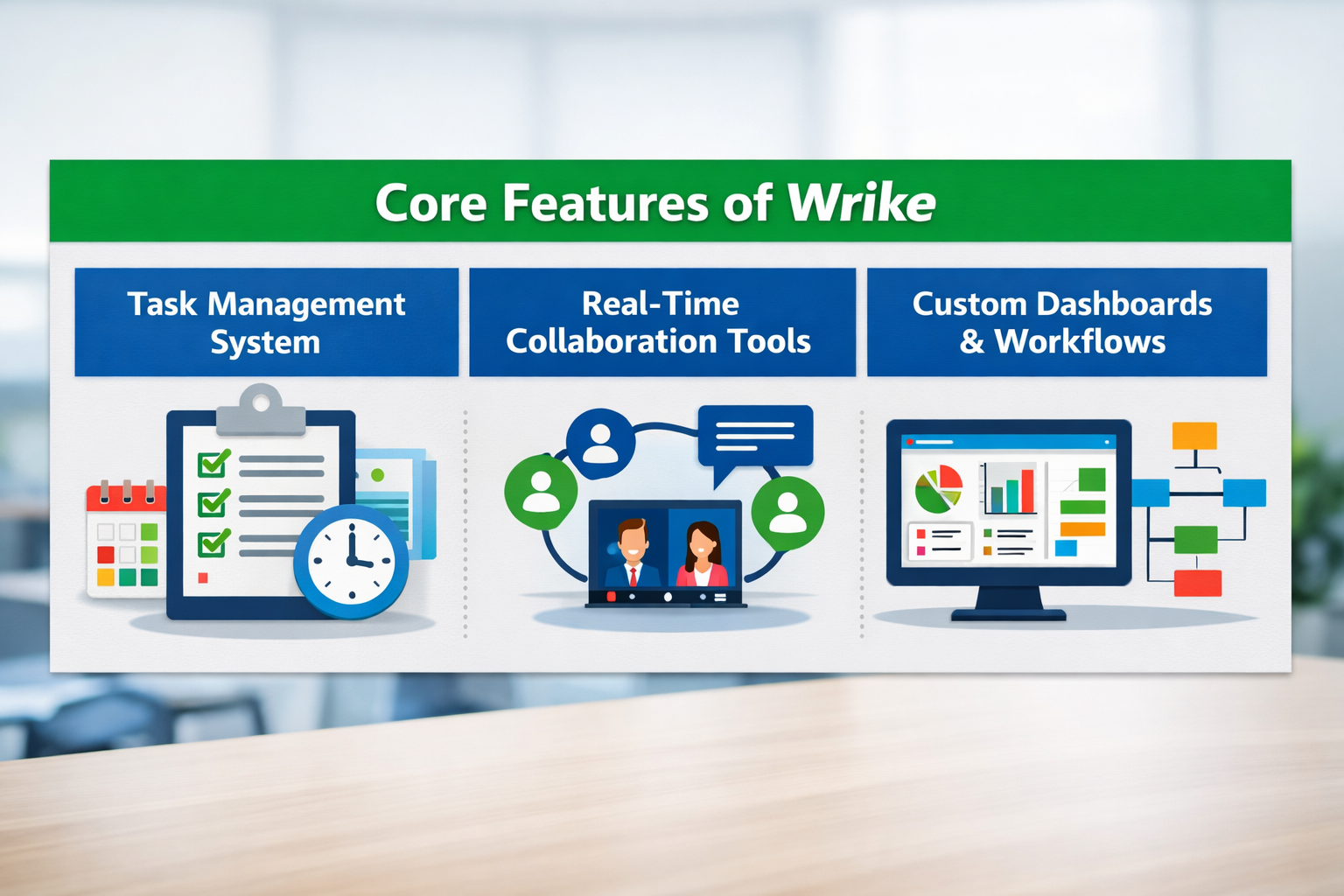
Task Management System
At the heart of Wrike lies its robust task management system, which is designed to simplify even the most complex projects. Instead of dealing with scattered to-do lists or endless email threads, Wrike allows you to create, assign, and track tasks in a structured way.
Each task can include detailed descriptions, deadlines, attachments, and assigned team members. You can break larger projects into smaller, manageable tasks, making it easier to track progress step by step. Nothing is overlooked thanks to this degree of order.
What makes Wrike stand out is its flexibility. You can view tasks in multiple formats—list view, Kanban boards, Gantt charts, or calendars. This means every team member can work in the way that suits them best. Some people prefer visual boards, while others like detailed lists. Wrike accommodates both.
Real-Time Collaboration Tools
Collaboration isn’t just about assigning tasks—it’s about working together seamlessly. Wrike’s real-time collaboration features make it an excellent choice in this regard. Team members can comment on tasks, tag colleagues, and share updates instantly.
Imagine working on a project where feedback is scattered across emails, chat apps, and documents. It’s frustrating, right? Wrike solves this by keeping all communication within the context of the task. This means every discussion, update, and file is linked directly to the work being done.
This not only saves time but also improves clarity. Everyone stays on the same page, and misunderstandings are minimized. It’s like having a conversation that never gets lost.
Custom Dashboards and Workflows
Every team works differently, and Wrike understands that. That’s why it offers custom dashboards and workflows that can be tailored to your specific needs. You can create dashboards that highlight the tasks, projects, or metrics that matter most to you.
Workflows can also be customized to match your business processes. For example, a marketing team might have stages like “Draft,” “Review,” and “Published,” while a development team might use “Backlog,” “In Progress,” and “Completed.” Wrike allows you to define these stages and automate transitions between them.
Improving Communication Across Teams
File Sharing and Document Collaboration
Wrike makes file sharing effortless. You can upload documents directly to tasks, ensuring all relevant files are easily accessible. Team members can also collaborate on documents in real time, making edits and leaving feedback instantly.
Commenting and Tagging System
The commenting system is simple yet powerful. You can tag team members using “@mentions,” ensuring they receive notifications and can respond quickly. This keeps communication fast and efficient.
Wrike for Remote and Hybrid Teams
Accessibility and Cloud Integration
Remote work is more prevalent than ever in the modern world. Wrike’s cloud-based platform ensures you can access your work from anywhere, at any time. An internet connection is all you need.
Mobile App and Flexibility
Wrike’s mobile app allows you to stay connected even on the go. Whether you’re traveling or working remotely, you can manage tasks, communicate with your team, and track progress.
Integration Capabilities of Wrike
Third-Party App Integrations
Wrike integrates with popular tools like Google Drive, Slack, and Microsoft Teams. This ensures seamless workflows across different platforms.
API and Custom Integrations
For advanced users, Wrike offers APIs that allow custom integrations. This means you can connect Wrike with your existing systems and tailor it to your needs.
Wrike vs Competitors
Comparison with Asana and Trello
Feature | Wrike | Asana | Trello |
Task Management | Advanced | Moderate | Basic |
Automation | Yes | Limited | Limited |
Reporting | Detailed | Basic | Minimal |
Customization | High | Medium | Low |
Wrike stands out for its advanced features and flexibility, making it ideal for larger teams and complex projects.
Benefits of Using Wrike
Increased Efficiency
Wrike helps teams work faster by reducing manual tasks and improving organization. Better productivity and quicker project completion result from this.
Better Accountability
With clear task assignments and deadlines, everyone knows their responsibilities. This improves accountability and ensures tasks are completed on time.

How Wrike Streamlines Project Planning
Planning is often the most chaotic phase of any project, but Wrike makes it structured and stress-free. With its intuitive planning tools, teams can map out entire projects using timelines, dependencies, and milestones. Instead of guessing deadlines, you can clearly visualize how tasks connect and when each phase should be completed. This reduces delays and keeps everyone aligned from the beginning. By using Wrike for project planning, teams can move forward with confidence and clarity.
How Wrike Improves Deadline Management
Meeting deadlines is crucial for any business, and Wrike helps teams stay on track with smart scheduling tools. You can set priorities, create reminders, and receive notifications for upcoming deadlines. Wrike’s visual timelines make it easy to identify potential delays before they happen. This proactive approach allows teams to adjust plans and ensure projects are delivered on time.
Also Read
Bolt Business: The Ultimate Guide to Scaling Your Online Business in 2026
Teachable Review: Best Platform to Create and Sell Online Courses
Hapbee Review: Can This Wellness Technology Improve Your Mood?
Parcel ABC ES Review: Shipping Services and Delivery Options
Top 10 Ways Packhelp Helps Brands Build Stronger Packaging Identity
Boosting Transparency with Wrike
Transparency is key to effective collaboration, and Wrike excels in this area. Every task, update, and discussion is visible to the team, eliminating confusion and miscommunication. Team members can track progress in real time, which builds trust and accountability. When everyone knows what’s happening, decision-making becomes faster and more informed.
Wrike for Cross-Functional Team Collaboration
Modern projects often involve multiple departments working together. Wrike bridges the gap between teams by providing a shared workspace where everyone can collaborate seamlessly. Whether it’s marketing, development, or finance, all teams can access the same information and contribute effectively. This eliminates silos and ensures smoother project execution.
Challenges and Limitations
Learning Curve
Wrike’s advanced features can be overwhelming for beginners. To completely comprehend and make use of all of its potential, it could take some time.
Pricing Considerations
While Wrike offers powerful features, its pricing can be higher compared to simpler tools. However, the value it provides often justifies the cost.
Conclusion
Wrike is more than just a project management tool—it’s a complete productivity ecosystem. By centralizing work, automating processes, and enhancing collaboration, it helps teams perform at their best. Whether you’re managing a small team or a large organization, Wrike provides the tools you need to stay organized, efficient, and aligned.
Frequently Asked Questions
Yes, Wrike offers scalable solutions that work well for small teams as well as large enterprises.
Yes, Wrike provides a free plan with basic features for small teams.
Absolutely. Wrike is cloud-based and designed for remote and hybrid work environments.
Wrike uses advanced security measures, including data encryption and access controls.
Wrike is used across various industries, including marketing, IT, finance, and education.
Table of Contents
Related Post


Bolt Business: The Ultimate Guide to Scaling Your Online Business in 2026
admin
March 24, 2026
Read More »