

Comparexpert
Comparison Between Company


A Beginner’s Guide to VirtualPBX and Cloud-Based Phone Systems
Discover VirtualPBX and learn how cloud-based phone systems can simplify business communication. This beginner-friendly guide explains how VirtualPBX works, its key features, pricing, benefits, call management, remote communication, and how it compares with traditional PBX systems. Whether you run a small business or manage a remote team, this guide will help you understand how cloud phone technology can improve flexibility and connectivity.
Table of Contents
What Is a Cloud-Based Phone System?
A cloud-based phone system is a business telephone service that operates through the internet instead of relying on a traditional phone exchange installed inside an office. It uses VoIP (Voice over Internet Protocol) technology to send voice communications over an internet connection. In simple terms, your business phone system lives online, so employees can use business numbers from desk phones, computers, tablets, or smartphones. This approach is especially useful for small businesses, startups, remote teams, and companies that want professional calling features without purchasing and maintaining large amounts of telephone hardware. VirtualPBX describes its cloud PBX as a virtual phone system that replaces traditional on-premise PBX hardware while providing functions such as call routing, auto attendants, voicemail, and analytics over VoIP.
The biggest difference is flexibility. With a traditional setup, changing your phone system might require physical wiring, new equipment, technicians, and considerable planning. With a cloud system, many changes can be handled through an online administration interface. You can create extensions, change call-routing rules, add users, forward calls, and configure business greetings without rebuilding your office infrastructure. That makes cloud phone systems feel less like a fixed telephone installation and more like a software service. For a growing company, this can be extremely convenient because communication can grow alongside the business instead of becoming a technical limitation.
How Cloud PBX Works
A Cloud PBX, or cloud private branch exchange, manages incoming and outgoing business calls through internet-based infrastructure. When someone calls your business number, the system can determine where the call should go based on rules configured by your company. For example, a caller might hear an automated greeting and press 1 for sales, 2 for support, or 3 for billing. The system can then send the call to the correct employee, department, queue, or mobile device.
This process can happen without the caller knowing whether the employee is sitting in the office or working remotely. VirtualPBX supports mobile and desktop access, call routing, auto attendants, business caller ID, and unlimited local minutes on its current Smarter Voice offering. The result is a communication environment where the business number remains consistent even when employees use different devices or work from different locations. For beginners, that is one of the easiest ways to understand the value of cloud telephony: one business communication system can follow your team wherever work happens.
Cloud PBX vs. Traditional PBX
Traditional PBX systems generally depend on physical equipment installed at a business location. The company may need telephone hardware, networking equipment, wiring, maintenance, and technical support to keep the system running. A cloud PBX moves much of that infrastructure into the provider’s cloud environment. Instead of maintaining the entire telephone platform yourself, you subscribe to the service and manage the parts relevant to your organization.
Feature | Traditional PBX | Cloud PBX |
Hardware | Usually required on-site | Minimal or optional |
Maintenance | Business responsibility | Mostly provider-managed |
Remote work | More complicated | Built for remote access |
Scalability | Can require new equipment | Users can usually be added quickly |
Call management | Hardware/software dependent | Online administration |
Upfront investment | Often higher | Usually lower |
Mobility | Limited by setup | Smartphone and desktop access |
What Is VirtualPBX?
VirtualPBX is a cloud-based business phone provider that offers internet-based communication tools for organizations. The company says it was founded in 1997 and focuses on cloud business phone solutions for small businesses. Its current service includes features such as auto attendants, call routing, voicemail and transcription, call recording, conferencing, mobile and desktop access, CRM integrations, reporting, and messaging capabilities.
Think of VirtualPBX as a digital control center for business calls. Instead of simply giving employees telephone numbers, it provides tools for deciding how calls should be answered, transferred, recorded, routed, and analyzed. A small company could have a main number that welcomes callers, asks them to select a department, and then sends the call to the right employee. If nobody answers, the system can use voicemail or other configured options. This gives even a small organization the type of structured telephone experience people often associate with larger companies.
How VirtualPBX Helps Small Businesses
Small businesses often have a simple communication problem: there are not enough people to answer every call all the time. One employee may be handling customers while another is in a meeting, traveling, or working from home. A cloud phone system helps solve this problem by creating rules around calls rather than depending entirely on someone physically sitting beside a telephone.
VirtualPBX offers mobile and desktop access, allowing employees to use business communication tools from different devices. It also supports existing-number porting, meaning businesses can retain a current business number rather than forcing customers to learn a new one. For a small company that has spent years building recognition around one telephone number, that can make migration much easier.
Key Features of VirtualPBX
A major reason businesses consider cloud phone systems is that they offer more than basic calling. VirtualPBX currently includes a wide collection of communication and management features within its business phone offering. These include auto attendants, ring groups, digital faxing, audio conferencing, voicemail transcription, dynamic caller ID, call recording, call forwarding, softphones, web phones, custom call flows, call analytics, integrations, and reporting.
The important thing for beginners is not to get overwhelmed by the feature list. You probably do not need every feature on day one. Instead, start by identifying your communication problems. Do you miss calls? Do customers reach the wrong department? Do remote employees need to answer the office number? Do managers need call reports? Once you understand the problem, you can connect it to the appropriate cloud-phone feature.
Auto Attendant and Call Routing
An auto attendant is the automated receptionist that answers calls and provides options to callers. For example, your greeting might tell customers to press 1 for sales or 2 for support. The system then routes the call according to your configuration.
Call routing can be more sophisticated than a simple menu. You can create rules for business hours, departments, individual employees, call queues, forwarding destinations, and other situations. VirtualPBX offers smart call routing and customizable call flows as part of its cloud phone service.
This can make a noticeable difference to the customer experience. Imagine calling a company and immediately reaching the right department rather than listening to a generic message and waiting for someone to transfer you. A well-designed routing system is like a good receptionist: it quietly organizes traffic so customers get where they need to go.
Voicemail, Call Recording, and Transcription
Voicemail remains useful even in an age of instant messaging. Customers may call outside business hours, employees may be unavailable, and some situations are easier to explain through voice. VirtualPBX supports voicemail greetings and voicemail transcription, including options for sending transcriptions to email.
Call recording can also help businesses that need to review conversations for training, quality control, or recordkeeping, subject to applicable laws and company policies. Managers can use call information to understand how teams are handling customer interactions. The key is to use recording responsibly and inform callers when legally required. These features turn the telephone from a simple communication device into a source of useful business information.
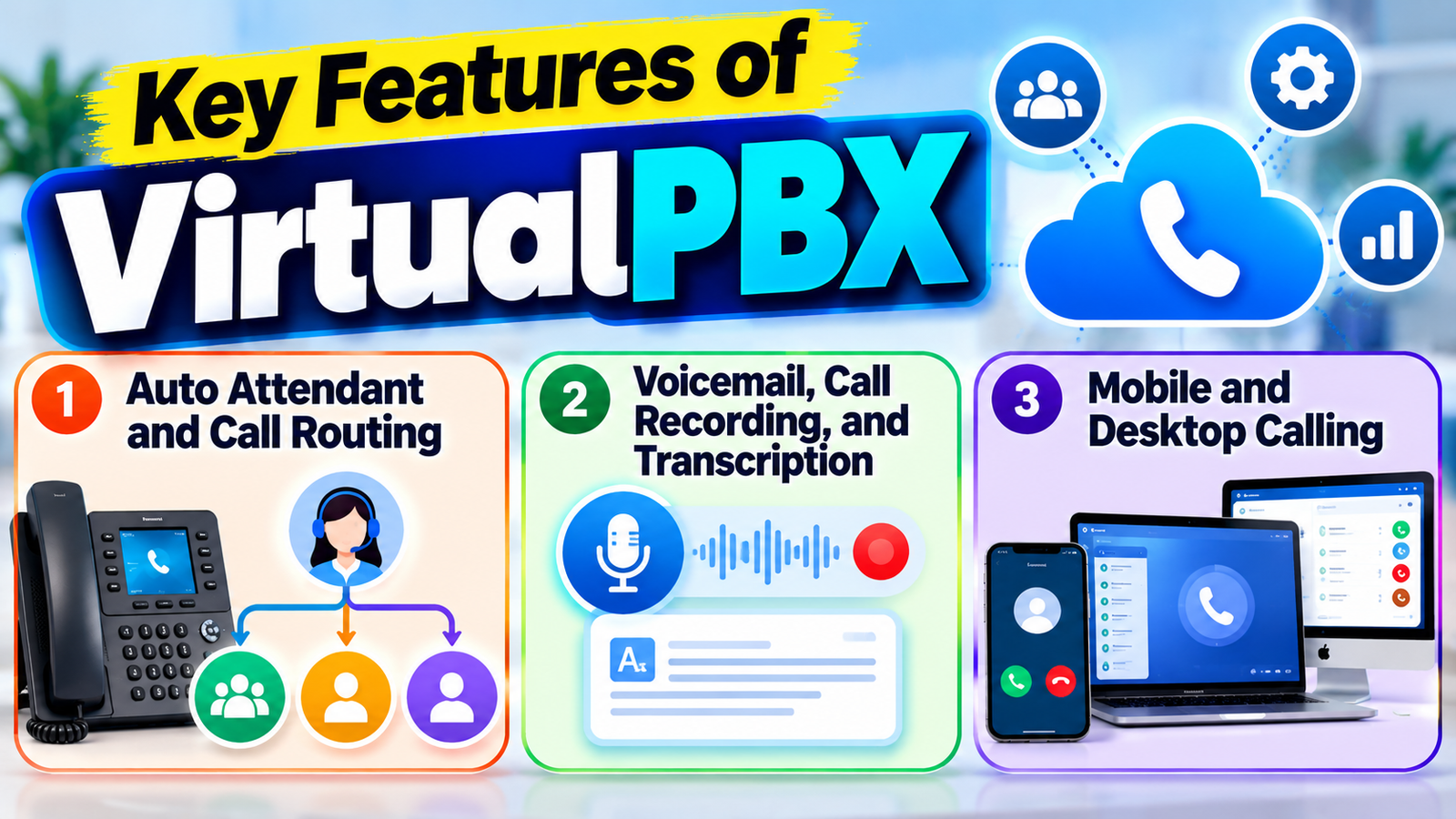
Mobile and Desktop Calling
One of the strongest advantages of a cloud phone system is device flexibility. Employees do not necessarily need to sit beside a traditional desk phone to answer business calls. VirtualPBX supports mobile and desktop applications as well as web-based calling and physical VoIP phones.
This is useful for hybrid and remote teams. An employee could work from home while still using the company’s business identity rather than giving customers a personal mobile number. A sales representative could also remain connected while traveling. The experience is similar to carrying the office telephone system in your pocket, although actual call quality depends on the internet connection, network configuration, and device being used.
Opportunity Finder
The Opportunity Finder focuses on niches rather than individual products.
Spotting Demand vs Competition
It highlights:
- High-demand niches
- Low-competition opportunities
- Trending markets
This is perfect if you want to build a brand instead of selling random items.
VirtualPBX Pricing and Plans
Pricing is one of the first things beginners usually want to understand. VirtualPBX currently lists Smarter Voice at $15 per user per month, with no contract and a 14-day money-back guarantee. The plan includes features such as auto attendants, ring groups, digital faxing, conferencing, voicemail and transcription, call recording, call forwarding, softphone access, web phone access, and integrations.
VirtualPBX also currently promotes an AI Voice offering at $99 per month, including business phone service for up to five people for new customers. The company describes it as a 24/7 AI employee designed around business-specific knowledge, rules, call routing, and human handoffs. Businesses should check the provider’s current pricing page before purchasing because service details, taxes, fees, and optional services can change.
Smarter Voice and AI Voice
Option | Current advertised price | Best suited for | Main idea |
Smarter Voice | $15/user/month | Small businesses and teams | Core cloud business phone system |
AI Voice | $99/month | Businesses wanting AI answering | AI-assisted customer call handling |
VirtualText | From $99/month | Businesses needing messaging | SMS, webchat and AI communication |
VirtualText is positioned separately as an AI-powered messaging and communication product. Its current plans start at $99 per month for Connect, while higher plans are listed at $299 and $499 per month. These products should not be confused with the basic VirtualPBX phone service. If your primary requirement is simply replacing a traditional office telephone system, the core phone plan may be the more relevant starting point.
VirtualPBX vs. Traditional Business Phone Systems
The comparison becomes clearer when you look at ownership. With a traditional PBX, the company may purchase equipment, maintain it, manage telephone lines, and arrange technical support. With a hosted cloud PBX, the provider operates much of the underlying service while the business manages users, numbers, call rules, and settings.
VirtualPBX itself highlights the potential cost advantage of hosted PBX systems compared with traditional systems, although its cost comparisons are provider-specific estimates rather than universal industry results. The actual savings for a company depend on the number of users, hardware requirements, internet costs, international calling, optional features, taxes, and existing infrastructure.
Cost and Scalability
Finding a product is only half the battle. You also need reliable suppliers.
The Supplier Database connects you with verified manufacturers, mainly from platforms like Alibaba. This saves weeks of supplier hunting.
Consideration | Traditional PBX | VirtualPBX / Cloud PBX |
Initial hardware | Usually significant | Lower hardware requirement |
Maintenance | Business-managed | Provider-managed infrastructure |
Remote employees | May need extra setup | Native cloud access |
Expansion | Hardware/configuration may be required | Generally easier to add users |
Software updates | May require technical work | Provider handles platform updates |
Administration | Often equipment-based | Web-based management |
Long-term flexibility | Depends on installed system | Generally high |
There is still a trade-off. A cloud system depends on internet connectivity, so businesses should have a reliable network and ideally a backup connection for important operations. Security also matters. Administrators should use strong passwords, appropriate access controls, device security, and sensible policies around recordings and customer information.
How to Choose a Cloud Phone System
Choosing the right cloud phone system is easier when you focus on business requirements rather than impressive feature lists. Start with your team size and expected growth. Then consider whether you need desk phones, mobile apps, desktop calling, SMS, call recording, conferencing, CRM integration, reporting, or automated reception.
Next, examine pricing carefully. A low advertised monthly price may not represent the total cost if your business needs additional numbers, premium reporting, international calling, hardware, setup services, or other add-ons. Ask whether pricing is per user, per line, per minute, or based on another model.
Finally, evaluate support and reliability. VirtualPBX advertises U.S.-based support and its public status page currently shows its listed voice, messaging, web application, mobile application, reporting, call-center, and API systems as operational.
Getting Started With VirtualPBX
Starting a cloud phone system does not have to be complicated. First, determine how many users need telephone service and decide whether employees will use desk phones, computers, smartphones, or a mixture of devices. Then identify your existing business numbers and decide which ones need to be transferred.
VirtualPBX says businesses can bring existing numbers or choose new numbers, and its cloud-phone setup includes number-porting assistance and system configuration. Number porting is important because you generally do not want to advertise a new number to every customer unless there is a specific reason to do so.
Number Porting and Setup
A practical setup process looks something like this:
- Identify users and departments. Decide who needs an extension and where calls should go.
- Choose your business numbers. Keep existing numbers when possible or select new ones.
- Design call flows. Create greetings, menus, routing rules, and business-hour settings.
- Select devices. Decide between mobile apps, desktop software, web calling, and physical VoIP phones.
- Test everything. Make test calls to verify routing, voicemail, caller ID, and transfers.
- Train employees. Make sure everyone knows how to answer, transfer, place callers on hold, and access voicemail.
The testing stage is easy to underestimate. A phone system may look perfectly configured on a computer screen but behave differently when real calls arrive. Test from outside the company, test after business hours, and test situations where nobody answers. Five minutes of testing can prevent a surprisingly awkward customer experience later.
Why Businesses Are Moving to Cloud Phone Systems
Traditional office phone systems can be difficult to manage when a business grows or employees start working remotely. Cloud phone systems offer a more flexible alternative by allowing employees to make and receive business calls through an internet connection. This means businesses can reduce their dependence on physical telephone equipment while giving employees more freedom to work from different locations.
For small businesses, this flexibility can be especially valuable. Instead of purchasing a complicated phone infrastructure, companies can choose a cloud-based service such as VirtualPBX and configure users, extensions, call forwarding, greetings, and other features online. As the business grows, additional users and communication features can be added without completely replacing the existing phone system.
Benefits of Using VirtualPBX
The first major benefit is flexibility. Employees can communicate through business phone tools from desktops, mobile devices, web browsers, and compatible desk phones. That is particularly useful when a company has employees working from multiple locations.
The second benefit is scalability. With traditional systems, adding users may require additional hardware or configuration. A cloud service can make expansion considerably easier because the provider handles much of the underlying infrastructure. VirtualPBX specifically positions its cloud phone service around small businesses and remote work, with tools designed to help companies add or manage users without maintaining a traditional PBX environment.
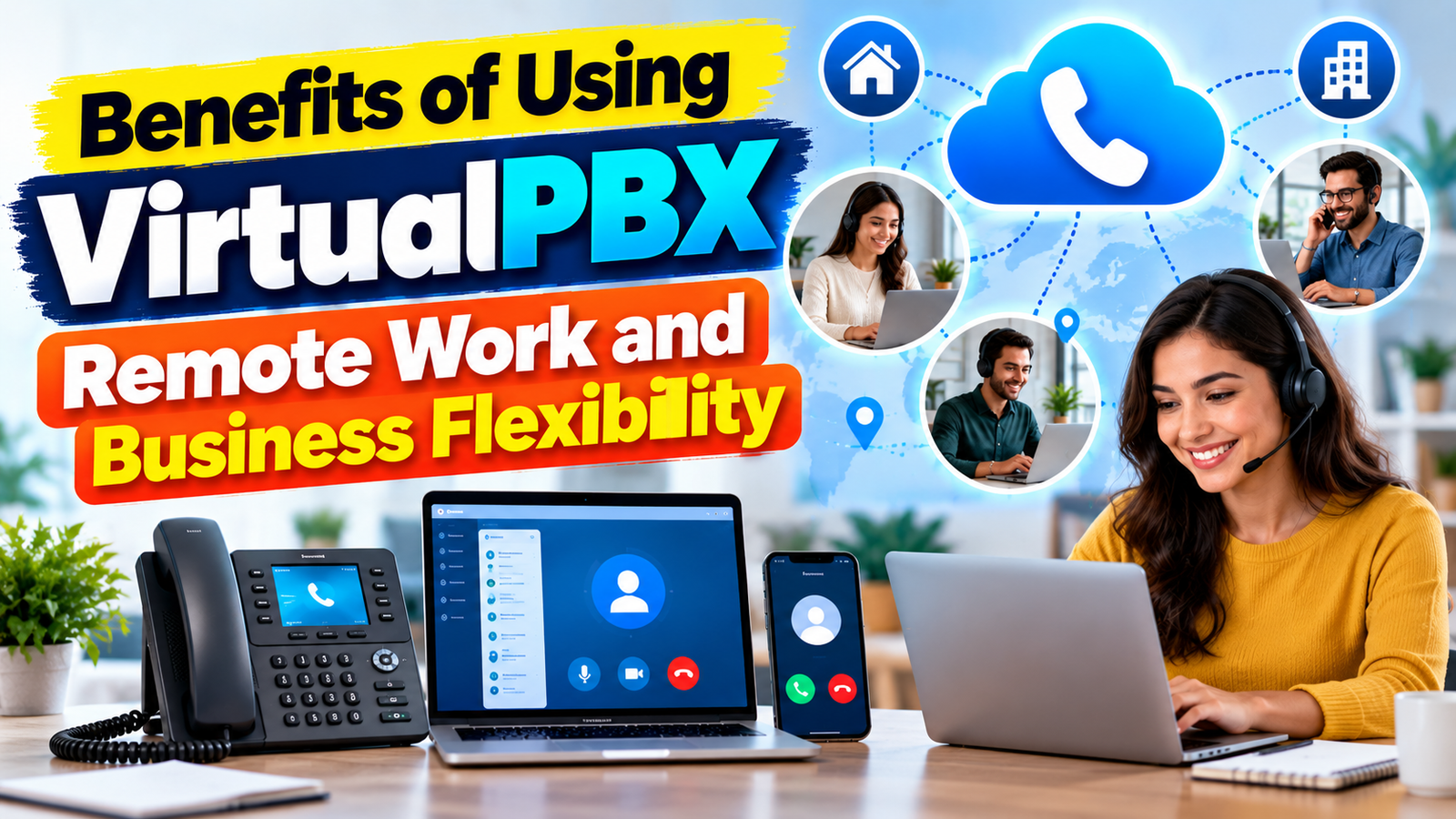
Remote Work and Business Flexibility
Remote work changes the meaning of an office telephone. If employees are no longer permanently sitting at assigned desks, a fixed phone system can become inconvenient. A cloud PBX solves much of that problem by separating the business number from the physical location.
Consider a small consulting company. The founder might work from home, an assistant might work from an office, and a salesperson might travel frequently. Instead of maintaining separate communication systems, the company can route calls to the appropriate devices. VirtualPBX specifically lists mobile and desktop access as part of its cloud phone offering.
Important VirtualPBX Features for Beginners
Before choosing a cloud phone provider, it is useful to understand the features that can make everyday communication easier. VirtualPBX provides several tools designed for business communication, including auto attendants, call forwarding, voicemail, call recording, conferencing, mobile access, desktop calling, and call management.
An auto attendant can act like a virtual receptionist by greeting callers and directing them to the correct department. Call forwarding allows employees to receive business calls when they are away from their desks, while voicemail helps capture messages when nobody is available. These features can help a small business create a more organized and professional calling experience without requiring a large reception team.
VirtualPBX for Remote Teams
Remote and hybrid working have changed how businesses communicate with employees and customers. A traditional desk phone may not be practical when employees regularly work from home or travel between locations. VirtualPBX provides cloud-based communication tools that allow employees to stay connected through supported computers and mobile devices.
This can help businesses maintain a consistent professional identity. Employees can use business communication tools instead of depending entirely on personal phone numbers. Managers can also create call-routing rules so important calls reach the right employee even when team members are working from different locations.
Also Read
How Drop Can Simplify Everyday Tasks and Improve Efficiency
What to Consider Before Choosing NordVPN for Your Devices
Common Challenges Faced by Instacart – Shoppers and How to Handle Them
Exploring the Security and Optimization Features of Mackeeper
Understanding the Technology Behind Popular Olympus Imaging Products
VirtualPBX Security Considerations
Security should be an important part of any business communication strategy. Because cloud phone systems rely on internet-connected services, businesses should protect user accounts and devices with strong passwords, access controls, software updates, and secure networks. Administrators should also carefully manage who can access call recordings, voicemail, reports, and other business information.
Businesses should review the provider’s security practices and compliance requirements before deployment. It is also important to train employees to recognize suspicious links, protect login credentials, and avoid using unsecured networks for sensitive business communication. A reliable cloud phone system is useful, but good security practices are still essential.
Tips for Choosing the Right Cloud Phone System
Choosing a cloud phone system should start with your business requirements rather than the number of features advertised on a pricing page. Consider how many employees need phone service, whether your team works remotely, how many business numbers you need, and whether you require features such as call recording, SMS, conferencing, CRM integrations, or detailed analytics.
It is also important to compare the total cost of ownership. Look beyond the basic monthly price and check for additional charges related to phone numbers, international calls, hardware, premium features, taxes, and other services. Testing the platform before making a long-term commitment can also help you determine whether the system is easy for both administrators and employees to use.
Is VirtualPBX Right for Your Business?
VirtualPBX can be a strong option for small businesses, startups, hybrid teams, remote workers, professional services companies, and organizations that want a cloud-based alternative to traditional PBX hardware. Its current core offering combines business calling, routing, voicemail, mobile and desktop access, conferencing, reporting, integrations, and other communication features under a cloud model.
It may be less suitable if your organization has unusual telecommunications requirements that demand highly specialized infrastructure, extremely complex compliance arrangements, or a completely self-managed telephone environment. In those cases, you may want to compare several providers and possibly involve an IT or telecommunications specialist.
Conclusion
A cloud-based phone system changes the traditional idea of a business telephone from a physical object into an internet-based service. Instead of tying communication to a particular office or desk, businesses can use cloud PBX technology to manage calls across computers, smartphones, web browsers, and VoIP phones. VirtualPBX brings together features such as auto attendants, call routing, voicemail transcription, call recording, conferencing, reporting, mobile access, and integrations to create a flexible business communication platform.
For beginners, the biggest advantage is simplicity. You do not need to understand every technical detail of VoIP before getting started. Focus on your users, phone numbers, call flows, devices, security, and support requirements.
Frequently Asked Questions
VirtualPBX is used to provide cloud-based business phone services. It can handle business calls, call routing, auto attendants, voicemail, conferencing, call recording, mobile and desktop calling, reporting, and integrations.
VirtualPBX currently advertises its Smarter Voice plan at $15 per user per month. It also advertises AI Voice at $99 per month, with business phone service for up to five people included for new customers. Taxes and applicable fees may be added at checkout.
Yes. VirtualPBX supports mobile and desktop access, along with web-based calling and physical VoIP phones. This makes it possible for employees to use business communication tools without being tied to one desk.
Yes. VirtualPBX says customers can bring existing numbers and provides number-porting support. This can help businesses move to a cloud phone system without changing the number customers already know.
For many small and growing businesses, a cloud PBX can offer greater flexibility, remote access, scalability, and lower hardware requirements. However, the best choice depends on the company's network, security, compliance, budget, hardware, and communication requirements.
Table of Contents
Related Post





Common Challenges Faced by Instacart – Shoppers and How to Handle Them
admin
September 30, 2026
Read More »